Tech Tips
  • Home
  • Learn More
  • Click to open the search input field Click to open the search input field Search
  • Menu Menu
Microsoft, MyEd BC, Organization, Seasonal, Tech Tips

MyEd Contact List Remembrance Day

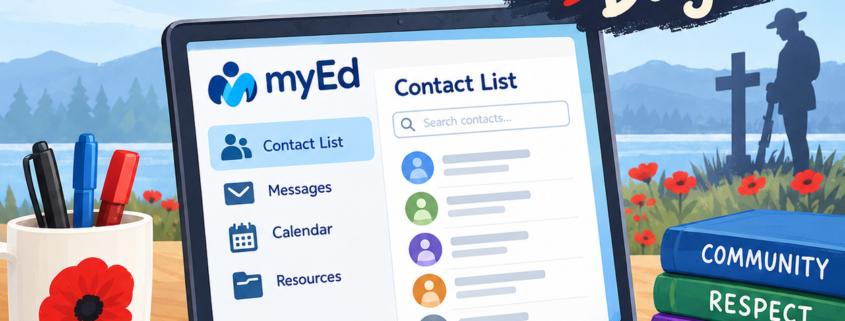
ai generated image represented tuesday tech tips with myed contacts and remembrance day

Need to know how to create a contact list for Outlook from your MyEd classlist – pretty simple with the steps explained in the video included.
Remembrance Day is just around the corner.  Explore some of the K-12 Canadian resources below for classroom use.

Read more
October 28, 2026/by shagen
https://learn71.ca/tech-tips/wp-content/uploads/sites/42/2026/10/Remembrance-Day-Tech-Tips.png 1254 1254 shagen https://learn71.ca/tech-tips/wp-content/uploads/sites/42/2026/07/Tech-Tips-Logo.png shagen2026-10-28 13:11:282026-11-01 10:06:34MyEd Contact List Remembrance Day
Accessibility, Inclusion, Microsoft, Programs, Tech Tips

👋 Welcome Back! A Few Tech Things to Know

welcome back graphic image

Welcome back! We hope you had a wonderful summer and that your school year is off to a great start. Shannon, Jane and I are looking forward to another fabulous year of helping you with technology, sharing new ideas, and bringing you helpful shortcuts and resources through our weekly Tuesday Tech Tips.

Read more
September 15, 2026/by kdawson
https://learn71.ca/tech-tips/wp-content/uploads/sites/42/2026/09/Welcome-back.png 1254 1254 kdawson https://learn71.ca/tech-tips/wp-content/uploads/sites/42/2026/07/Tech-Tips-Logo.png kdawson2026-09-15 15:44:032026-10-17 08:07:24👋 Welcome Back! A Few Tech Things to Know
Microsoft, Organization, Tech Tips

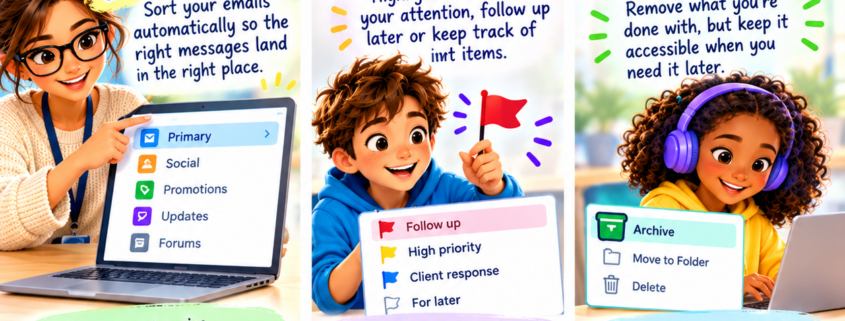
Tame Your Inbox with Categories, Flags & Archives

ai generated image visually displaying how to tame your inbox

As we approach June and the weather is beautiful, we sometimes need some quick ideas to regroup our students and shift gears or calm down. Check out Digital Snacks – 150+ Breaks for students’ brains, curated by Tony Vincent​ to find relaxing break videos, sensory break videos and quick activities like “Do nothing for 2 minutes”.
…and on another note…   
If your Outlook inbox feels a bit like a laundry basket full of emails, meetings, reminders, and “I’ll deal with this later” messages… you’re definitely not alone 😅

Read more
July 9, 2026/by kdawson
https://learn71.ca/tech-tips/wp-content/uploads/sites/42/2026/07/Tuesday-Tech-Tip_-Tame-Your-Inbox.png 1254 1254 kdawson https://learn71.ca/tech-tips/wp-content/uploads/sites/42/2026/07/Tech-Tips-Logo.png kdawson2026-07-09 10:53:332026-10-17 08:45:49Tame Your Inbox with Categories, Flags & Archives
Accessibility, Microsoft, Organization, Tech Tips

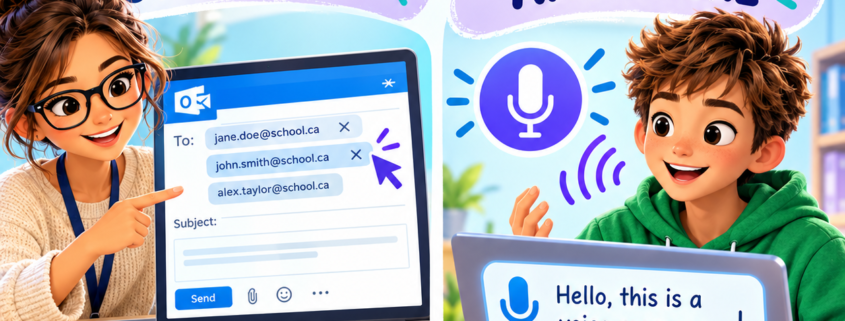
Clean Up Your Email Autocomplete & Dictate Anywhere with Windows + H

ai generated image with showing how to clean up email and using Windows H

Have you ever noticed that Outlook sometimes automatically finds and completes email addresses for you?  But what do we do when we have “suggested” emails we no longer want. 
Explore here to learn how to remove them. Continue reading for the quick tip of dictating in any text box . . .

Read more
July 9, 2026/by shagen
https://learn71.ca/tech-tips/wp-content/uploads/sites/42/2026/07/Tuesday-Tech-Tips_-Email-and-Dictation.png 1254 1254 shagen https://learn71.ca/tech-tips/wp-content/uploads/sites/42/2026/07/Tech-Tips-Logo.png shagen2026-07-09 10:50:222026-10-17 08:35:06Clean Up Your Email Autocomplete & Dictate Anywhere with Windows + H

Archive

  • October 2026
  • September 2026
  • July 2026
  • August 2024

Categories

  • Accessibility
  • Inclusion
  • Microsoft
  • MyEd BC
  • Organization
  • Programs
  • Seasonal
  • Tech Tips
  • Windows

Facebook

Instagram

No images available at the moment

Follow Me!
Scroll to top Scroll to top Scroll to top