
New BC Time Zone & Halloween Activities
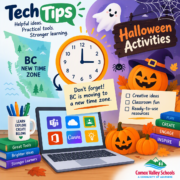
No more daylight saving time in BC . . . What does that look like in our calendars, and how do we make changes if needed?
Halloween time once again. Do you have activities ready to go? If not, fear, there is a fresh batch of Halloween activities below.
🕛 BC’s New Time Zone and Your Calendar
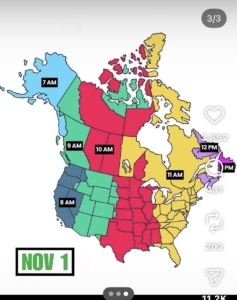
British Columbia no longer changes clocks twice a year. That means we no longer “spring forward” or “fall back.” Instead, we stay on one time year-round.
What is it called?
Depending on the app, website, or device, you may see the time zone listed as:
- Pacific Time (British Columbia)
- UTC-7:00
- Vancouver
These may appear differently depending on the software you’re using, but they’re often used to represent the same local time.
What do I need to do?
School district-issued devices
- Follow the directions Josh emailed on Thursday, October 22nd.
- Use the link to the district resource IT created with details on this change, what to know and be aware of, and any required actions.
- Updates are being applied to district devices to reflect the new time zone settings -> if you are prompted to install updates, please do so.
Personal devices
- Make sure Automatic Updates are turned on.
- This helps ensure your device receives any time zone updates related to this change.
- If your device allows you to manually select a time zone, choose UTC-7:00, Pacific Time (British Columbia) or Vancouver
ℹ️The time zone you choose will depend on your type of mobile device . . .
What about my Outlook calendar events?
After November 1, it is a good idea to review any meetings or events that involve people in other time zones.
Most local events should appear correctly, but meetings created in or linked to other time zones may need a quick check to ensure the scheduled time is still accurate.
AND remember . . . Ontario is now only TWO hours later -> the rest of the “Pacific” is now ONE hour earlier.
Need Help?
If you notice any time, calendar, or scheduling issues on a district-issued device, please submit a HelpDesk ticket, and our team will be happy to help investigate and resolve the issue.
🐈⬛ SPOOKTACULAR HALLOWEEN ACTIVITIES
As we create and update our learn71 Halloween page, below is an assortment of activities you can use right away. We’ll be sure to include them on our page once it’s done.
Ditch That Textbook “Techy Halloween” Ideas
Quick, creative Halloween fun for the classroom.
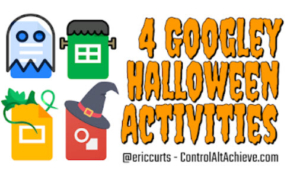
Eric Curts – ControlAltAchieve.com “Googley Halloween” Ideas
Halloween-themed educational activities.
Google Slides and Docs, transfer easily to PowerPoint and Word.
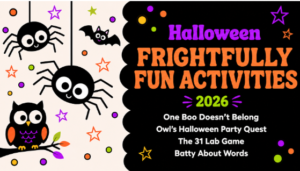
TCEA “Frightfully Fun Halloween” Activities
This year’s Halloween Activities line up by Peggy Reimers. Read through to the bottom for previous years’ links.
Bring the Scares for Tech & Learning Halloween
Erik Ofgang offers a number of Halloween activities for older students, including history, science or math – but keeping it fun.
If you have a Tech Tip to share or you would like help with technology, please email us:
 Kara Dawson (she/her/hers)
District Information Technology Support Teacher
 Jane Rondow (she/her/hers)
SD 71 District Inclusion Teacher (Assistive Technology)

