

💬 Everyone Deserves to Have a Voice! / Pro D Options

Happy AAC (Augmentative and Alternative Communication) Awareness Month!
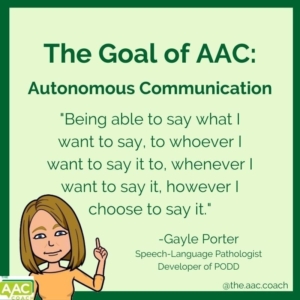
AAC helps people communicate when speaking difficult or different.
It can be pictures, signs, a communication book, or a device that talks (TALKER).
Thanks to Krista Manson (AAC Speech Language Pathologist in SD71) for co creating this post.
Just a reminder, this Friday is our Provincial Pro D day with soooo many options available. Check out below for what’s available locally as well as the various PSAs.
Augmentative and Alternative Communication
💡 AAC gives everyone a way to share their thoughts, needs, and ideas.
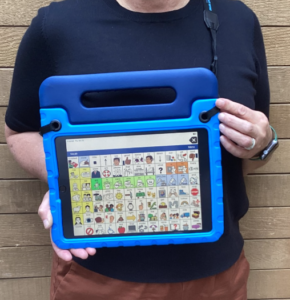
In Comox Valley Schools we currently have over 50 students who use Talkers to express themselves.
Our Talkers look like this:
People can engage with learners:
- Say “Hi” and give the student time to respond. A response may look different for every student. (They may use their body language, facial expressions, vocalizations or talker)
- Talk to the student, not just the adult who is with them.
- Connect through their interests. If they love Bluey, Pokémon, or something else, use that as a way to start a conversation.
- Believe that every student can and wants to connect and communicate. Our role is to provide opportunities, support, and time for that connection to happen.
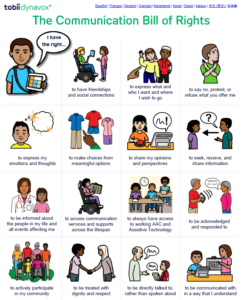
Click image to open PDF file
A simple reminder: Start with connection, be patient, provide opportunities and presume competence. 💜
For more information about Talkers and AAC in Comox Valley Schools check out our Learn 71 AAC page AAC Learn 71 page
Remember:
Your voice matters, no matter how you communicate!

Provincial ProD Day
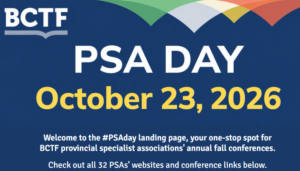
October 23rd is our Provincial Pro D day. Michelle from our local CDTA office has been keeping us updated on the local offerings. You can do a search in your Outlook for the “Teacher Pro-D” email address to quickly find these: teacherprod@sd71.bc.ca

The BCTF PSA Day
Also check out the conferences and workshops being offered Provincially.
If you have a Tech Tip to share or you would like help with technology, please email us:
 Kara Dawson (she/her/hers)
District Information Technology Support Teacher

 Jane Rondow (she/her/hers)
SD 71 District Inclusion Teacher (Assistive Technology)

