
Happy Pancake Tuesday/Mardi Gras/Shrove Tuesday! Today I am excited to share the new Microsoft Search Coach. The Search Coach was designed to help people learn how to ask effective search questions to get the results they desire and to help them arrive at safe accurate results while avoiding fake news. Search coach will give you suggestions to make your search better. It is basically described as a search engine on training wheels. To me it looks like a game changer for teaching students how to search (I think I am going to try it out too).
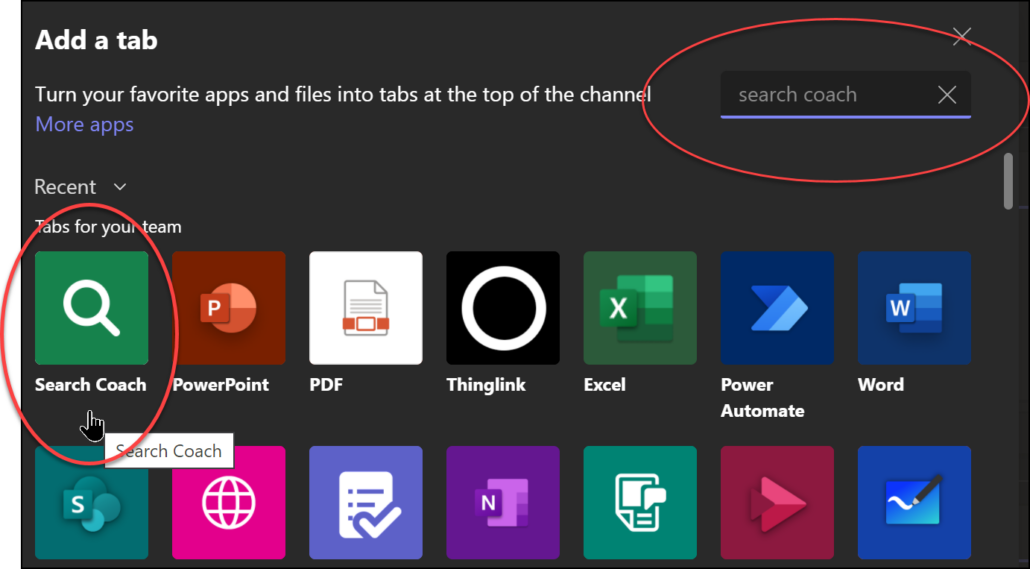
Right now for your students use it, you need to add it to your class Team for them. It should be in the Edge browser by the end of 2023. Here’s how to add it to your Team:
1. Open your class Team
2. Click on General on the left.
3. Click on the + sign at the top
4. In the search space type in Search Coach
5. Click on the Search Coach and then click Save at the bottom. It will now be one of the tabs at the top that your students can access.
One really handy thing to do when you are working with a group of people is to set up an email list or group. I didn’t realize that there was a difference between the two and I admit I had to learn a bit to get today’s Tech Tip ready. Read on to learn the difference and find some instructions to help (thank you Julie for this awesome Tech Tip idea). Oh and don’t forget to check out the fun Halloween links that I have updated for this season: Click here for Halloween Fun
Difference Between a Group and a List:
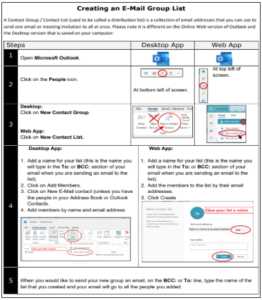
An email Contact List/ Contact Group (used to be called a Distribution List) is a collection of email addresses that you can use to send one email or meeting invitation to all at once. To confuse us, , Microsoft calls this a Contact List when you are working in the online web app but if you are on your desktop app on your computer it is a Contact Group.
An email Group is a collection of people (entered by email address) that get an email address for conversations, a space for shared files, a group calendar and more. It is a bit like a Team.
If you just want an easy way to send a group of people emails and meeting invitations, the Group list is the best choice. If you have a group that you would like to plan with and work together, a Group is better.
How to Create a Group List/ Contact Group
This week’s Tuesday Tech Tip comes from Jane Rondow (Inclusion Teacher – Assistive Technology)-thank you, Jane! Also, please read on for information about the Minecraft Challenge, upcoming Minecraft workshops this Friday and a Mathletics workshop on Thursday.
October is Dyslexia awareness month, 1 in 5 people have dyslexia and many don’t even know.
Comox Valley Schools has made many Assistive Technology supports available on all district computers and devices to support Reading and Writing. These can also be used on personal devices and BYOD (Bring Your Own Devices) using your Microsoft login.
Microsoft Login
- Educators: district email and login password
- Learners: student#@learn71.ca and login password
A few supports are:
-
- Immersive Reader in Office 365 and Edge Browser
- Read&Write
- OrbitNote
- Speak Selection and Speech Controller
-
- Font options like Open Dyslexic Font
- Coloured backgrounds
- eText and eBook resources
- ARCBC alternate format materials (Textbooks, Novels, Books)
- Dictation (Speech to Text/ Voice to Text)
-
- Dictate
- Windows Speech Recognition
- Enable Dictation
To find out more about these Assistive Technology supports and tools check out the resources on:
- Learn 71 – Assistive Technology
- Made by Dyslexia and Microsoft
Or contact Jane.Rondow@sd71.bc.ca (District Inclusion Teacher – Assistive Technology)