

Copy Link to Hightlight | Tips for a Successful Parent Teacher Interview Day
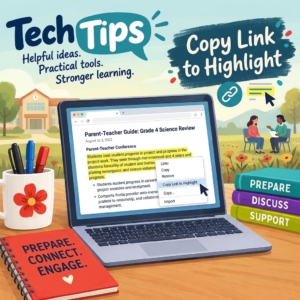
Link directly to a specific section of a website to enable users to access and read exactly what you want them to.
Parent-teacher conference is next week. Below is a link to a webpage with some tips for making sure this day is a success.
Read below for more info . . .
Highlight Webpage Content for Direct Link
When wanting to share content on a long webpage that is halfway down the page, it can be a bit confusing if you just shared the webpage link. The people using the link might not know exactly where to go and it’s your responsibility to provide extra information to ensure they are access the correct information.
However, it’s simple to create a link to specific content on a webpage to share with others.
- Highlight the first few words of the content you want to share.
- Right click the mouse > select “Copy link to highlight”
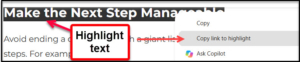
- Navigate to where you’d like the link
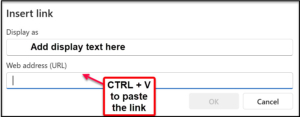
- Press “CTRL + K” on the keyboard.
This will display a window to insert a link. - Press “CTRL + V” in the window for the link.
Depending on where you are inserting the link, you may have the opportunity to type in the “display text” instead of the long link text.
Clicking on this link will bring the user directly to this content.
Tips for Successful Parent-Teacher Conferences
Parent-teacher conferences can sometimes feel a bit nerve-racking. Not only do they take up a lot of time to prepare, quite often you are trying to fit everything into a 10 to 15 minute meeting. This could be sharing successes, discussing concerns, or sharing the students’ evidence of learning, it can be a lot.
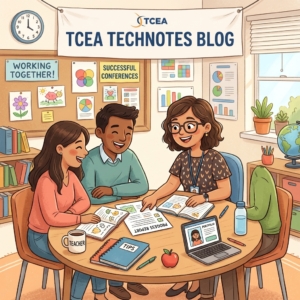
The link below is to a blog post from TECA where it offers practical ideas for keeping conversations positive, focused, and student-centered. From general “advice” to some concrete checklists and even a template for note-taking during the conference. Well worth the read.
Click on the image below to access the site.
If you have a Tech Tip to share or you would like help with technology, please email us:
 Kara Dawson (she/her/hers)
District Information Technology Support Teacher
 Jane Rondow (she/her/hers)
SD 71 District Inclusion Teacher (Assistive Technology)

