

Grade 4 Password Change Day is Coming!
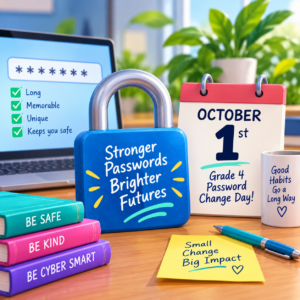
On October 1st grade 4 students will be required to change their password when they log in to their school district account. We do this to get them away from using the formula we use to generate passwords – this is very easy for other students to figure out and leaves us with cybersecurity problems 😟 This is a great opportunity to help students develop good digital literacy habits by learning how to create strong passwords and keep their personal information safe.
Prepare With This Great Lesson
Before the big day, explore with students what makes a good password. Encourage them to create passwords that are long, memorable, and difficult for others to guess. A fun way to do this is by combining several unrelated words into a passphrase!
Here is a handy worksheet you can try: Super Secret Powerful Passwords

Some Resources to Help You Get Started:
- How Secure is My Password? Let students put their passwords here to see why they should change them (try yours as well)
- Password Safety Activities: This set of lessons is designed for grade 4 students: Passwords and Security – Learn71
Click on the image below to find more lessons and resources to help teach students about strong passwords:

Of course, with the change, you may have a few who have trouble remembering their passwords.
No problem: Here are the instructions for you to change their passwords for them: Changing-Student-Passwords.pdf

Remind students that passwords are private and should never be shared with friends. They should also avoid using personal information such as their name, birthday, or favourite sports team.
And a Little Reminder for Staff Too!
While our Grade 4 students update their passwords, it’s a great time for the rest of us to check our own password habits! Staff should also update their passwords periodically to protect themselves.
How-to-Change-Your-Password.pdf
A few minutes spent on password safety today can help keep our district’s digital spaces secure all year long!
If you have a Tech Tip to share or you would like help with technology, please email us:
 Kara Dawson (she/her/hers)
District Information Technology Support Teacher

 Jane Rondow (she/her/hers)
SD 71 District Inclusion Teacher (Assistive Technology)

