Happy Spring Break-A Couple Techie Easter Eggs and Help with Reply All
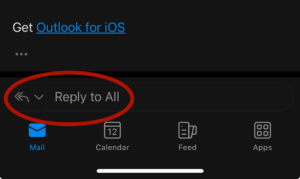
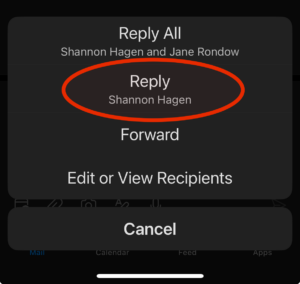
Spring Break is just about here, and we just can’t resist sharing a couple of techie online Easter Eggs with you. Tech Easter eggs are undocumented hidden messages or features that the developers have hidden in software. But first, a little reminder about using “Reply all” in your emails. Before hitting “Reply All” on an email, please ask yourself: “Does everyone on this list need to see my response?” I know it is an embarrassing mistake that I have made before. If you hit “Reply all” as your email reply, you may accidentally have it set as your default. Read below for a couple of fun Easter Eggs and some instructions to make sure that “Reply All” is not your default for email replies.
Easter Eggs:
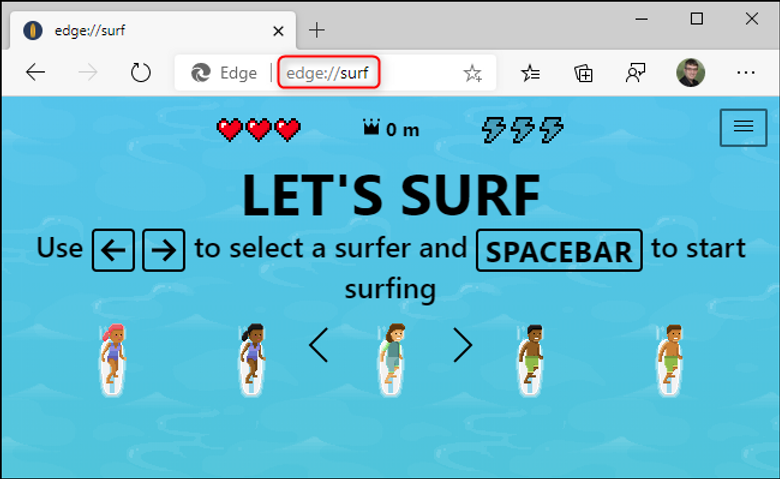
1. In The Edge Browser (yes, we might be promoting this one a bit) type in edge://surf at the top where you type in URLs. You will get a fun surfing game! Before the game starts, type in Microsoft and you will get unlimited lives.
2. I suppose I shouldn’t leave out Google Chrome. If you type in chrome://dino you will get that fun dino game the kids always play when the internet is down. You do have to be in Google Chrome for it to work.
3. The hidden emoji game in Instagram – my daughter told me about this one. Use Direct Message (dm) to send someone an emoji. They can then press on it to open a pong game.
If you like these, click here to see the Easter Eggs I shared last spring.
How to Make Sure Reply All is not your Default
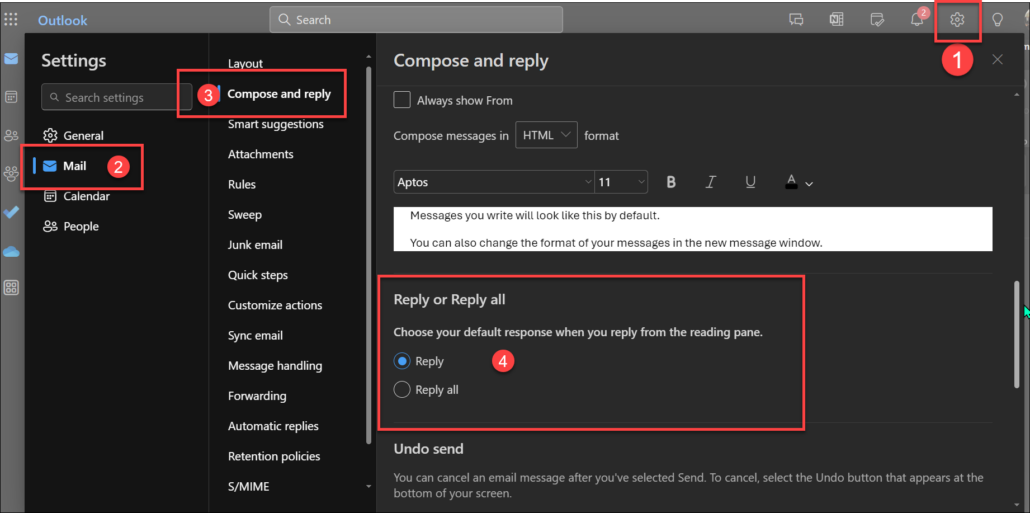
For your online email, open your Outlook email
1. Click on the Settings Wheel in the top right
2. Click on Mail
3. Click on Compose and reply
4. Click on the circle that has “Reply” under Reply or Reply all