
SpacesEDU
Join SpacesEDU
- Your students’ teacher will invite you to join their SpacesEDU Class.
- Keep an eye out fo an email from: noreply@app.spacesedu.com
Download the SpacesEDU App on Home Devices


Log in via web browser. Go to: spacesedu.com

CLASSES
ACCESS CLASSES
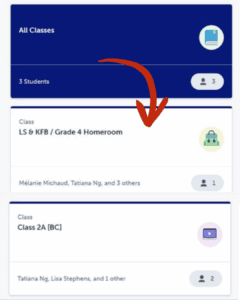
Once you’ve logged in to your Family Account, you’ll see all of your student’s classes.
If you have multiple students using SpacesEDU, you can view all of their work from this single account.
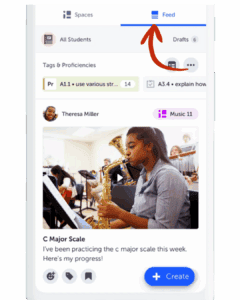
To see their latest work, either click All Classes to view a combined feed of your students’ work, or select a specific class and navigate to the Feed for that class!
FEED
Ways to Engage
✔ View your Child’s Learning: The SpacesEDU Feed offers a window into the classroom, allowing you to see what your student is learning and how they are progressing.
✔ Message Teachers: Stay connected with your child’s learning by sending Messages to their teacher and viewing class announcements.
✔ Comment and React: Celebrate your child’s achievements by leaving Comments or adding Reactions to their work.