
An Easy Way to Find Images with Transparent Backgrounds
I sure wish I knew this Tech Tip before the Code Quest Arcade last month when our students were frantically searching for images with no background that they could use for their characters in their games. I used to tell people to add “transparent background” in the Google search when they wanted this but I just learned a super easy fast way to search for images with a transparent background.
Here’s how:
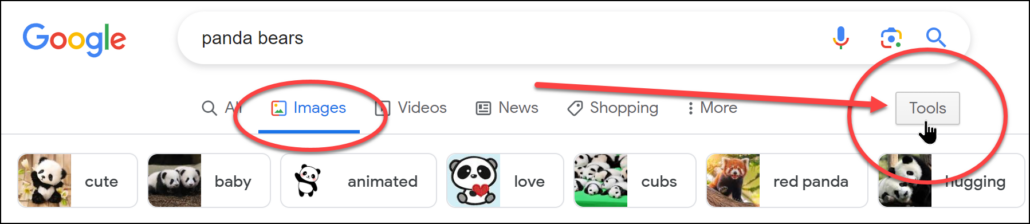
1. Open Google and click on Images, then type what you are looking for in the Search.
2. Click on Tools on the top right of the search:
3. Click on Colour and select Transparent:
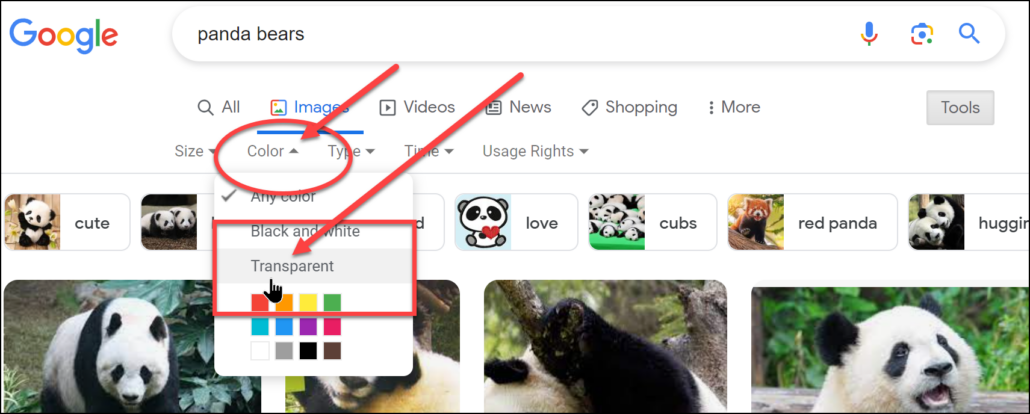
Now the pictures that they find should have a transparent background.
4. This is a super great opportunity to teach your students about Usage Rights as well. Have them click on Usage Rights and select Creative Common Licenses:
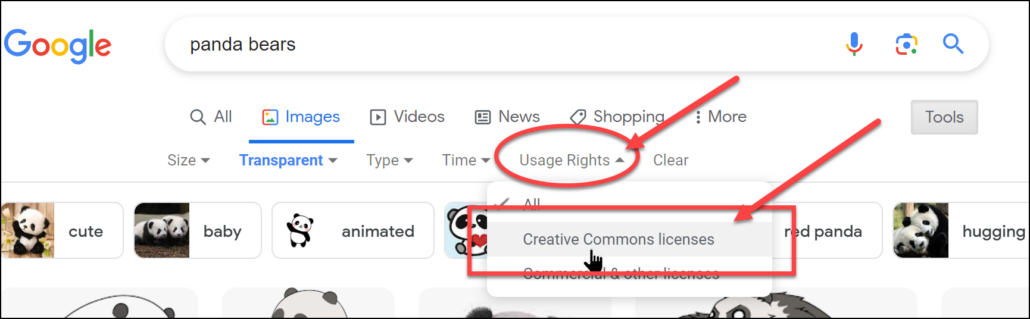
Pictures that students find under the Creative Commons License are free for public use. While we should always give the artist credit for the pictures, it is not always necessary if you are using these pictures.
Speaking of which, thanks to Richard Byrne for teaching me this tip:
https://www.freetech4teachers.com/2023/05/the-effects-of-talking-to-yourself.html
For an explanation of what Creative Commons means, watch this video: