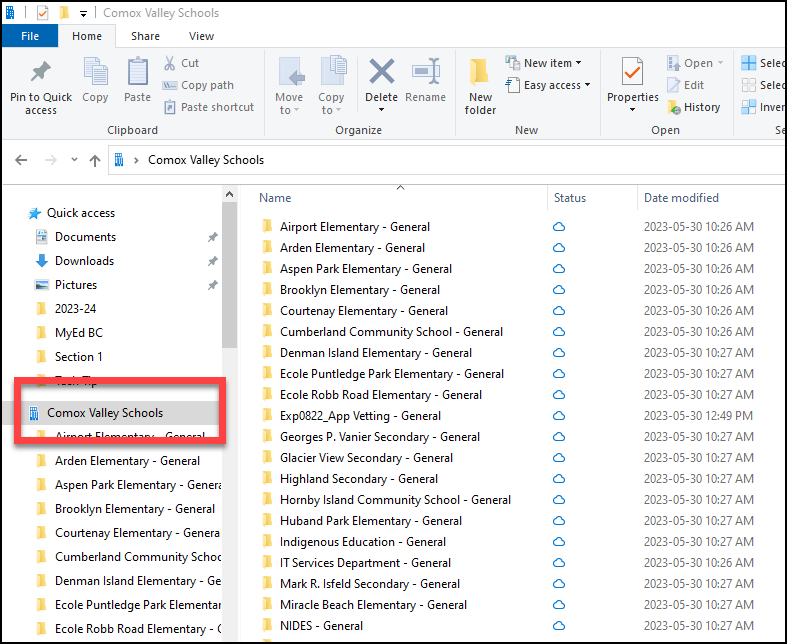
Teams Files in File Explorer on Your Computer
Do you have a lot of files in your Teams in Microsoft Teams that you would like an easy way to access all in one place? Today is your lucky day! You can have access to all the Files sections from your Teams in File Explorer on your computer. If you make add, delete or change something in a file, you will see the changes in both places. Here are some instructions to help you out:
1. Open the Team with the files you would like easy access to.
2. Open the Files Tab.
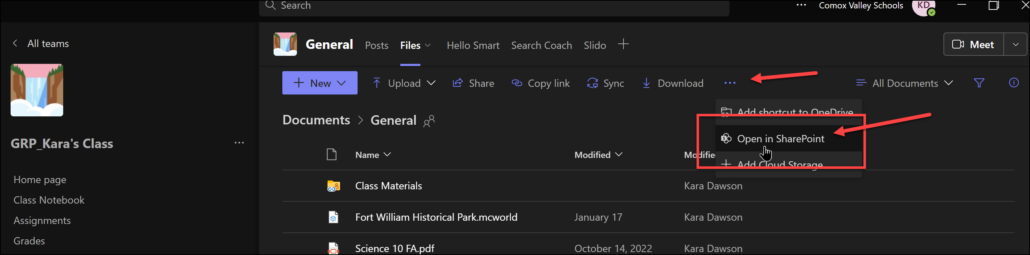
3. Click on Open in SharePoint (you may need to click on the ellipsis to find it).
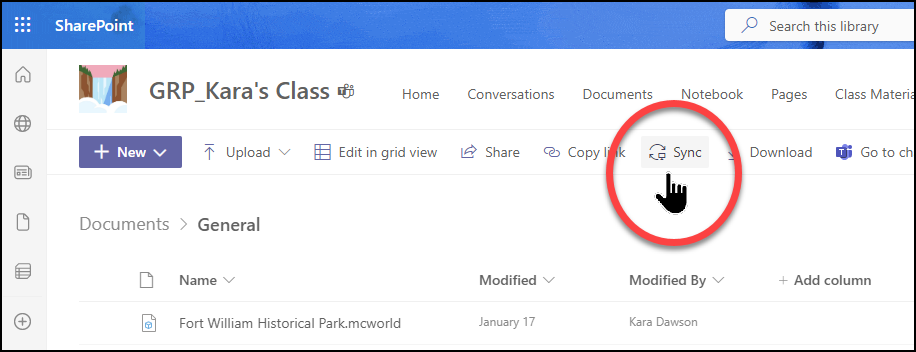
4. This will open a webpage that has SharePoint in the top left. When this opens, click on Sync:
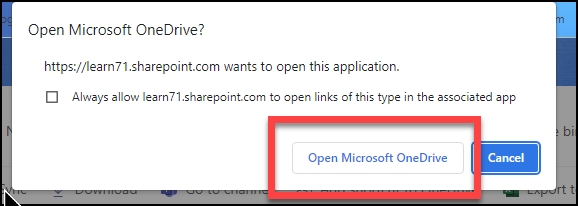
5. Click on Open in OneDrive
6. Now you will have access the files from that Team by going to File Explorer and clicking on Comox Valley Schools on the left (that is what mine showed up as I’m not 100% your will be the same name but the symbol will be the same).