Microsoft Search Coach-Learning to Search Better
Happy Pancake Tuesday/Mardi Gras/Shrove Tuesday! Today I am excited to share the new Microsoft Search Coach. The Search Coach was designed to help people learn how to ask effective search questions to get the results they desire and to help them arrive at safe accurate results while avoiding fake news. Search coach will give you suggestions to make your search better. It is basically described as a search engine on training wheels. To me it looks like a game changer for teaching students how to search (I think I am going to try it out too).
Right now for your students use it, you need to add it to your class Team for them. It should be in the Edge browser by the end of 2023. Here’s how to add it to your Team:
1. Open your class Team
2. Click on General on the left.
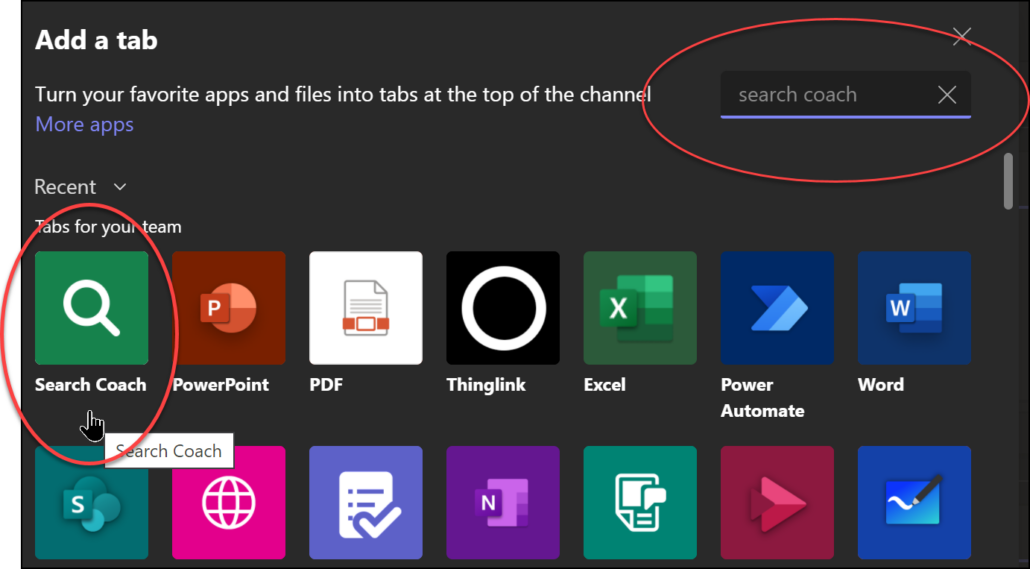
3. Click on the + sign at the top
4. In the search space type in Search Coach
5. Click on the Search Coach and then click Save at the bottom. It will now be one of the tabs at the top that your students can access.