
Future Ready Classrooms
AI-ready classrooms aren’t about teaching how AI works. They are about teaching students how to use AI responsibly, creatively, and effectively as part of everyday learning.
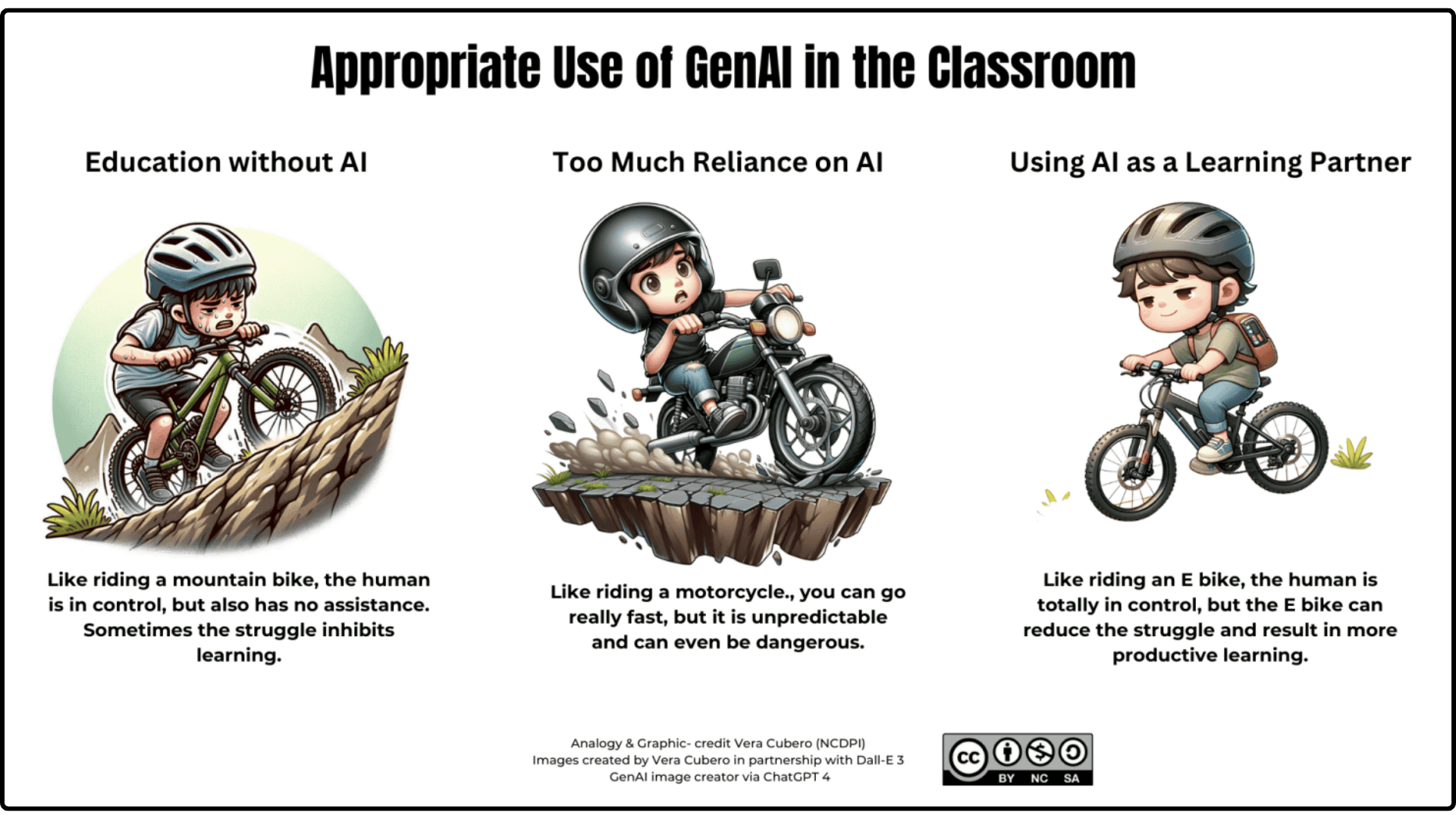
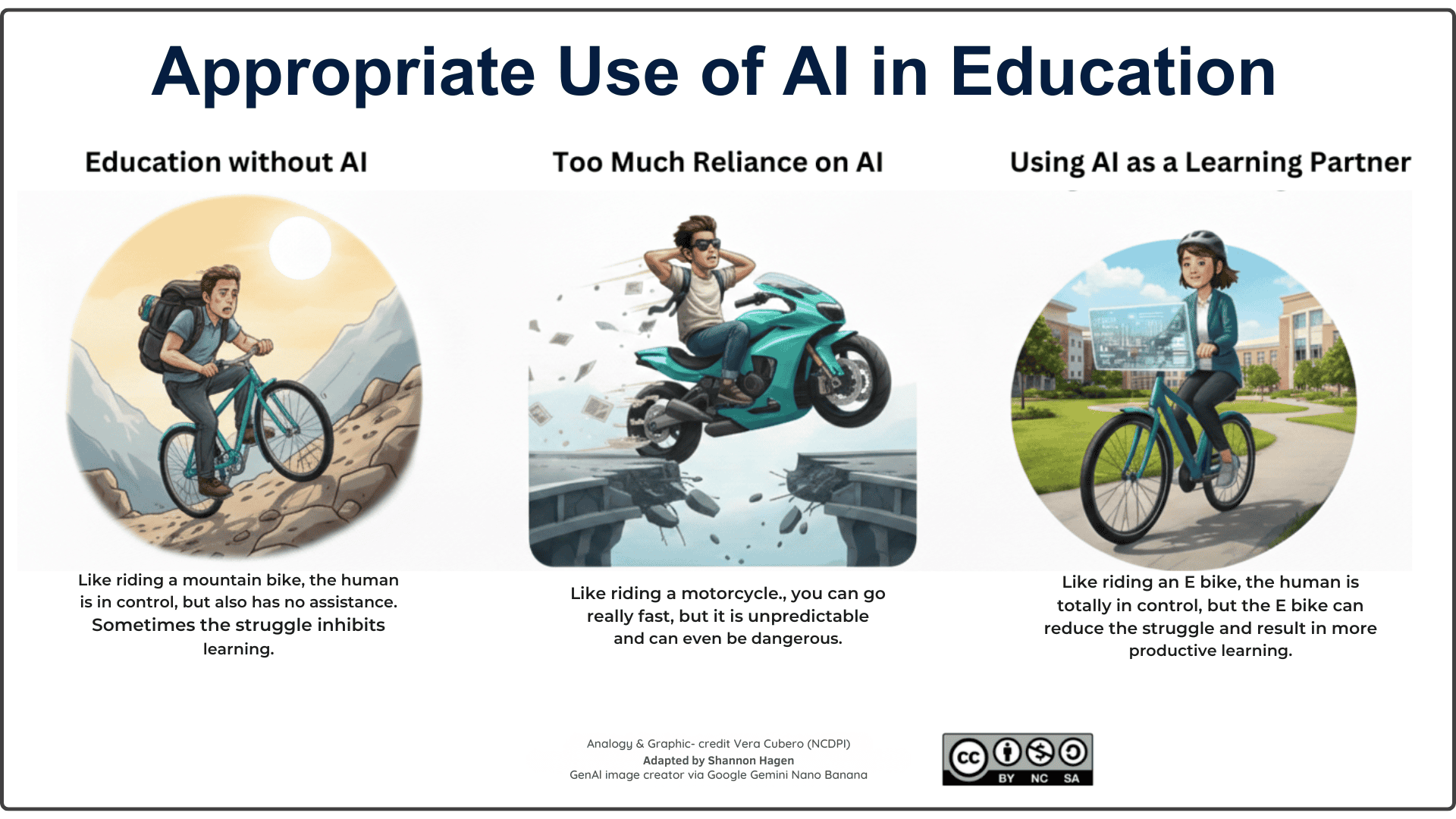
Students need to learn, “just the right speed” in how they use AI in the classroom. As these images indicate, “Education without AI” is an uphill grind, “Too much reliance on AI” is unpredictable and even dangerous, “Education as a learning partner” reduces struggle allowing for more productive learning.
🎯 Core Student Skills for AI-Ready Learning
Below are the core skills, explanation of skills learned and classroom ready applications that can be used immediately.
Scroll to the bottom of the page for documents to support the use of AI in the classroom both for teachers as well as students.
✏️ Ask Effective Questions
This skill helps students get clearer, more accurate results from AI so their learning stays focused and meaningful.
Students learn how better questions lead to better answers.
CLASSROOM READY APPLICATIONS (click to open and view)
- Idea Generator: Students refine a prompt to get better ideas for a narrative, science topic, or project concept.
- Research Starter: Students practice adding context (“Explain for a beginner…”) to get clearer background info before beginning inquiry.
- Step‑by‑Step Helper: Students ask AI to break a large task into steps (e.g., how to plan a lab report or presentation).
- Vocabulary Builder: Students prompt AI to define a word, give examples, and show it in different sentences.
- Study Support: Students ask increasingly specific questions to deepen understanding of a concept they are reviewing.
PROMPTS FOR STUDENTS TO USE
Idea Generator:
I need ideas for a [story, science investigation, innovation project, or presentation] about [topic]. Generate five unique ideas suitable for a Grade [X] student. For each idea, explain why it would be interesting, what I could learn from it, and a list of possible final products I could create.
Research Starter:
I am beginning research on [topic]. Explain it for a Grade [X] student using clear, simple language. Include key vocabulary, five important facts, common misconceptions, and three inquiry questions I could investigate further.
Step‑by‑Step Helper:
I need to complete a [lab report, presentation, essay, project, or assignment] about [topic]. Break the task into clear, manageable steps, explain what I should do at each step, suggest a timeline, and provide a checklist I can follow to stay organized.
Vocabulary Builder:
Help me learn the word [word]. Provide a student-friendly definition, synonyms, antonyms, examples in different contexts, a visual description to help me remember it, and a short practice activity to check my understanding.
Study Support:
I am studying [concept or topic]. Explain it in simple language, connect it to real-life examples, and then quiz me with five questions that increase in difficulty. After each answer, provide feedback, clarify any misunderstandings, and suggest what I should review next to deepen my understanding.
🎯 Personalize Learning Using AI Tools
Students can get explanations, practice, and feedback tailored to their needs, improving independence.
Students learn self‑directed learning using AI support.
CLASSROOM READY APPLICATIONS (click to open and view)
- Custom Explanations: Students ask AI to explain a concept at different levels (simple, detailed, with examples).
- Practice Problems: Students request practice questions on a topic and check their thinking with AI feedback.
- Study Guide Maker: Students ask AI to make a personalized study guide based on what they find difficult.
- Self‑Quizzing: Students ask AI to quiz them with multiple‑choice or short‑answer questions.
- Learning Path: Students request a “learning plan” for a topic they need more help with.
PROMPTS FOR STUDENTS TO USE
Custom Explanations:
Explain [concept] in three ways: (1) a simple explanation for a beginner, (2) a more detailed explanation using key vocabulary, and (3) an explanation using real-world examples. Then identify the most important ideas I should remember.
Practice Problems:
Create 10 practice questions about [topic] that match a Grade [X] level. Include a mix of easy, medium, and challenging questions. Ask the questions one at a time, wait for my response, and provide feedback, hints, and explanations before moving to the next question.
Study Guide Maker:
Create a personalized study guide for [topic]. I find [specific concept or skill] challenging. Include key vocabulary, important concepts, step-by-step explanations, common mistakes to avoid, worked examples, and a short review quiz at the end.
Self‑Quizzing:
Quiz me on [topic] using a mix of multiple-choice and short-answer questions. Start with easier questions and gradually increase the difficulty. After each question, provide feedback on my answer, explain the correct response, and tell me what I should review if I am struggling.
Learning Path:
Create a learning plan to help me improve my understanding of [topic]. Assume I am a Grade [X] student with limited prior knowledge. Break the topic into a sequence of learning steps, explain what I should learn at each stage, suggest practice activities, and include checkpoints to help me monitor my progress.
🔍 Check and Verify AI Output
Students learn to question AI results, building critical thinking and preventing misinformation.
Students become critical consumers of AI-generated content.
CLASSROOM READY APPLICATIONS (click to open and view)
- Fact‑Checking Challenge: Students compare AI‑generated facts with a textbook, article, or teacher‑approved source.
- AI vs. Reality: Students highlight inaccuracies in an AI summary of a story, event, or scientific process.
- Bias Hunt: Students examine two different AI outputs and discuss what viewpoints might be missing.
- Evidence Match: Students check whether AI explanations align with evidence from a text, image, or data set.
- Source Scavenger Hunt: Students verify three claims made by AI using reliable digital sources.
PROMPTS FOR STUDENTS TO USE
Fact‑Checking Challenge:
Provide five important facts about [topic]. For each fact, explain how confident you are in its accuracy and suggest keywords or sources I could use to verify the information. Do not make up sources. I will compare your facts with my textbook, article, or teacher-approved source and identify any differences.
AI vs. Reality:
Create a summary of [story, historical event, scientific process, or topic]. Include the most important details and key ideas. I will compare your summary to the original source and identify any missing information, inaccuracies, or details that need correction.
Bias Hunt:
Provide two different explanations of [topic or issue] from different perspectives. For each explanation, identify whose viewpoints may be represented, whose perspectives may be missing, and what additional information a student should gather to develop a more balanced understanding.
Evidence Match:
Explain [claim, concept, event, or conclusion] and describe the evidence that would support the explanation. Clearly distinguish between facts, interpretations, and opinions. I will compare your explanation to evidence from my text, image, data set, or other source to determine whether it is supported.
Source Scavenger Hunt:
Generate three claims about [topic] that can be verified using reliable sources. For each claim, suggest the types of sources I should consult (such as government websites, academic articles, textbooks, news organizations, or scientific publications). Do not provide the answers. My task is to verify whether each claim is accurate and provide evidence from reliable sources.
💡 Use AI to Brainstorm, Revise, and Create
AI helps students generate ideas and refine their work while still remaining the authors of their learning.
Students learn how to use AI to improve writing, not replace it.
CLASSROOM READY APPLICATIONS (click to open and view)
- Outline Builder: Students create an outline with AI, then revise it by adding their own ideas.
- Transition Helper: Students ask AI for transition suggestions and choose the best ones for their writing.
- Sentence Rewrites: Students input one messy paragraph and ask AI for ways to make it clearer.
- Idea Expansion: Students brainstorm multiple angles for a project, then choose and refine the strongest ones.
- Feedback Loop: Students ask AI for feedback on clarity or organization, then rewrite in their own voice.
PROMPTS FOR STUDENTS TO USE
Outline Builder:
Help me create an outline for a [essay, report, presentation, story, or project] about [topic]. Include an idea for a clear introduction, suggestions for main sections, and a some ideas for a conclusion. Leave space for me to add my own ideas, examples, evidence, and personal insights and connections.
Transition Helper:
I am writing about [topic]. Suggest transition words, phrases, and sentence starters that can help me connect ideas, show cause and effect, compare information, add details, and conclude my writing. Include examples of how each transition could be used in context without completing the actual work assigned to me.
Sentence Rewrites:
Review the paragraph below and suggest ways to improve its clarity, organization, and sentence flow. Explain why each change would help the reader understand the ideas more clearly, but do not change the meaning of my writing or do the rewrite for me:
[Paste paragraph here]
Idea Expansion:
I am creating a [project, presentation, essay, product, campaign, or investigation] about [topic]. Generate several different approaches or perspectives I could explore. For each idea, explain its strengths, potential challenges, and what I could do to make it more engaging or original.
Feedback Loop:
Review my work and provide feedback on clarity, organization, and whether my ideas are easy to follow. Identify strengths, areas that could be improved, and specific suggestions for revision. Do not rewrite the work for me. Instead, help me improve it while keeping my own voice and ideas.
[Paste work here]
🧠 Use AI for Problem‑Solving and Inquiry
Students can explore multiple solutions and refine ideas, deepening creativity and design thinking.
AI supports creative and iterative problem solving.
CLASSROOM READY APPLICATIONS (click to open and view)
- Multiple Solutions: Students ask AI for several ways to solve a practical or academic problem.
- What‑If Scenarios: Students explore alternate outcomes (e.g., “What if…?” questions in science or humanities).
- Idea Sorting: Students brainstorm solutions and ask AI to categorize them (feasible / needs research / risky).
- Prototype Helper: Students use AI to sketch out early design ideas for a product, model, or solution.
- Question Builder: Students use AI to generate inquiry questions for a new unit or project.
PROMPTS FOR STUDENTS TO USE
Multiple Solutions:
I need to solve [problem or challenge]. Generate at least five possible solutions and explain the advantages, disadvantages, resources needed, and potential challenges for each option. Help me compare the solutions so I can decide which one is most effective.
What‑If Scenarios:
Explore the question: “What if [scenario]?” Describe several possible outcomes and explain how each outcome might affect people, systems, events, scientific processes, or the environment. Include both positive and negative consequences and explain your reasoning. Prompt me to include my personal insights or connections to this scenario.
Idea Sorting:
I am brainstorming solutions to [problem]. Review the ideas below and categorize each one as Feasible Now, Needs More Research, or High Risk/Low Feasibility. Explain why each idea belongs in that category and suggest next steps for investigating or improving it.
[Paste ideas here]
Prototype Helper:
Help me design a prototype for [product, model, app, device, service, or solution]. Describe the purpose, key features, materials or resources needed, how it would work, who would use it, and possible improvements. Include questions I should consider before building or testing the prototype.
Question Builder:
Generate a list of inquiry questions about [topic]. Include factual, analytical, evaluative, and open-ended questions that encourage deeper thinking and investigation. Highlight the questions that would make the strongest starting points for a research project or inquiry-based learning activity. Prompt me to include my personal insights or connections to the suggestions provided.
♿ Use AI for Accessibility Supports
AI tools help all learners access content more easily through read‑aloud, simplification, and vocabulary.
Students learn to choose the supports they need at the right time.
CLASSROOM READY APPLICATIONS (click to open and view)
- Read‑Aloud Assistance: Students use AI or built‑in tools to hear text read aloud for comprehension.
- Text Simplification: Students request a simpler version of complex instructions or informational text.
- Vocabulary Help: Students highlight difficult words and get AI‑generated explanations and examples.
- Focus Tools: Students use AI to extract key points, helping them track the main idea.
- Planning Support: Students ask AI to create checklists or step‑by‑step guides for assignments.
PROMPTS FOR STUDENTS TO USE
Read‑Aloud Assistance:
Read the text below and help me understand it. Break it into smaller sections, identify the main idea of each section, explain difficult concepts in simple language, and provide a brief summary at the end.[Paste text here]
Text Simplification:
Rewrite the text below using clear, student-friendly language while keeping the meaning the same. Break long sentences into shorter ones, explain difficult vocabulary, and use headings or bullet points if they would make the information easier to understand.
[Paste text here]
Vocabulary Help:
Review the text below and identify any words or phrases that may be difficult for a student to understand. For each term, provide a simple definition, a synonym, an example sentence, and an explanation of how the word is used in this context.
[Paste text here]
Focus Tools:
Analyze the text below and identify the most important information. Provide the main idea, 3-5 key points, important vocabulary, and a short summary. Highlight any details that are essential for understanding the topic or completing an assignment.
[Paste text here]
Planning Support:
Help me plan a [assignment, project, presentation, essay, or task]. Break the work into clear, manageable steps, create a checklist I can follow, suggest a realistic timeline, and identify what materials, resources, or information I will need to complete each step successfully.
🌐 Use AI to Support Multilingual Learning
AI helps multilingual learners bridge language gaps while strengthening academic vocabulary and confidence.
Students use AI to bridge understanding across languages.
CLASSROOM READY APPLICATIONS (click to open and view)
- Translate + Compare: Students translate text into their home language and compare meaning across versions.
- Vocabulary Expansion: Students ask AI for synonyms, examples, and sentence frames for academic terms.
- Simplified Text: Students request a simplified version of a challenging article before reading the original.
- Dual‑Language Notes: Students generate bilingual notes to support understanding of new content.
- Writing Support: Students draft paragraphs in their home language and use AI to help craft an English version.
PROMPTS FOR STUDENTS TO USE
Translate + Compare:
Translate the text below into [home language]. Then compare the original and translated versions by identifying important vocabulary, phrases, and ideas. Explain any words or concepts that do not have a direct translation and summarize the main message in both languages.
[Paste text here]
Vocabulary Expansion:
Help me learn the term [type in term here]. Provide a student-friendly definition, synonyms, examples, word in context in sentences, related vocabulary, and examples of how the term is used in different school subjects for a grade [#] student.
Simplified Text:
Rewrite the text below using clear, student-friendly, plain language while keeping the meaning the same. Explain difficult vocabulary, shorten complex sentences, and provide a brief summary of the key ideas before I read the original version.
[Paste text here]
Dual‑Language Notes:
Create bilingual notes about [topic] in English and [home language]. Include key vocabulary, important concepts, definitions, and a summary. Organize the notes so I can easily compare information in both languages possbility in a chart or table format.
Writing Support:
I have drafted the following paragraph in [home language]. Help me create an English version that keeps my ideas and meaning while using clear academic language. Explain any important vocabulary choices and suggest ways I could make the writing more effective.
[Paste paragraph here]
🗺️ AI for Career Pathway
AI is the assistant that helps students become career ready.
Students learn career‑ready habits using AI to research, reflect, and communicate effectively.
CLASSROOM READY APPLICATIONS (click to open and view)
- Career Explanations: Students ask AI to explain a career at different levels (simple, detailed, with examples of daily tasks). Students create an outline with AI, then revise it by adding their own ideas.
- Skill Breakdown: Students ask an AI to list the technical, academic, and soft skills required for a specific job or field.
- Interview Practice: Students ask AI to act as a practice interviewer and receive feedback on their answers.
- Resume & Email Polishing: Students paste a self‑written paragraph (resume summary, experience, or email) and ask AI to improve clarity and professionalism while keeping their own ideas. (being sure NOT to include any personal identifiable information)
- Pathway Planner: Students ask AI to help compare two post‑secondary programs or career paths and create a simple personalized action plan.
PROMPTS FOR STUDENTS TO USE
Career Explanations:
Explain the career [career name] in three ways: (1) a simple explanation for someone new to the field, (2) a detailed explanation with key responsibilities, and (3) a description of what a typical day might look like. Include the education or training required, common work environments, and the skills needed to be successful. Include links to any websites used in creating this list.
Skill Breakdown:
Create a skills profile for a [career or job]. Organize the skills into three categories: technical skills, academic knowledge, and soft skills. For each skill, explain why it is important and provide an example of how it might be used in the workplace. Prompt for me to include my own list of skills and how they would relate to career or job indicated.
Interview Practice:
Act as an interviewer for a [career, volunteer position, apprenticeship, or job]. Ask me one interview question at a time, wait for my response, and provide constructive feedback on the clarity, relevance, and professionalism of my answer. Suggest ways I could improve while keeping my response authentic and in my own voice ensuring that I include specific personal connections or insights and not just relying on a generic set of responses.
Resume & Email Polishing:
Review the text below and suggest ways to improve its clarity, organization, grammar, and professionalism while keeping my ideas and voice. Explain the changes you recommend and why they would make the writing more effective. Do not add personal information or create experiences that I have not provided. Do not rewrite the text provided. Just make suggestions.
[Paste resume summary, experience description here excluding personal information]
Pathway Planner:
Help me compare the following post-secondary programs or career pathways: [Option 1] and [Option 2]. Compare the education requirements, costs, length of training, job opportunities, work environments, and potential challenges. Based on my interests in [interests, strengths, or goals], create a simple action plan outlining steps I can take over the next year to explore and prepare for these pathways. Please include links to any of the information provided in your output.
📄 Downloadable Documents
Below are a number of printable documents to help support using AI in the Classroom.
Click on the link to open and download.
- Generative AI Acceptable Use Scale
- “Can I Use AI on This Assignment?” – a scale teachers can use to indicate acceptable AI use.
- Student Self-Reflection Checklist
- A checklist a student can use as a self-reflection on their strategic GenAI use
- CRAFT a Power Prompt
- An infographic that includes the recommended additions to the ‘perfect’ prompt.
- ISTE’S Portrait of an AI-Ready Graduate
- ISTE’s profile for AI skills for students to guide ethical, creative use of AI.
- Citing AI in Your Work
- A quick infographic demonstrating how to cite AI when used.
- Academic Honesty & Integrity with AI
- A checklist a teacher can use to start a conversation about the overuse of AI for an assignment.
- AI Guide for Students from AI for Education
- A workflow to help determine when and where to use AI
- SEE Framework – Safe | Ethical | Effective
- A framework developed by AI for Education for guidance on student use of AI
This page was developed and created with the help of AI.