
Future Ready Classrooms
AI-ready classrooms aren’t about teaching how AI works. They are about teaching students how to use AI responsibly, creatively, and effectively as part of everyday learning.
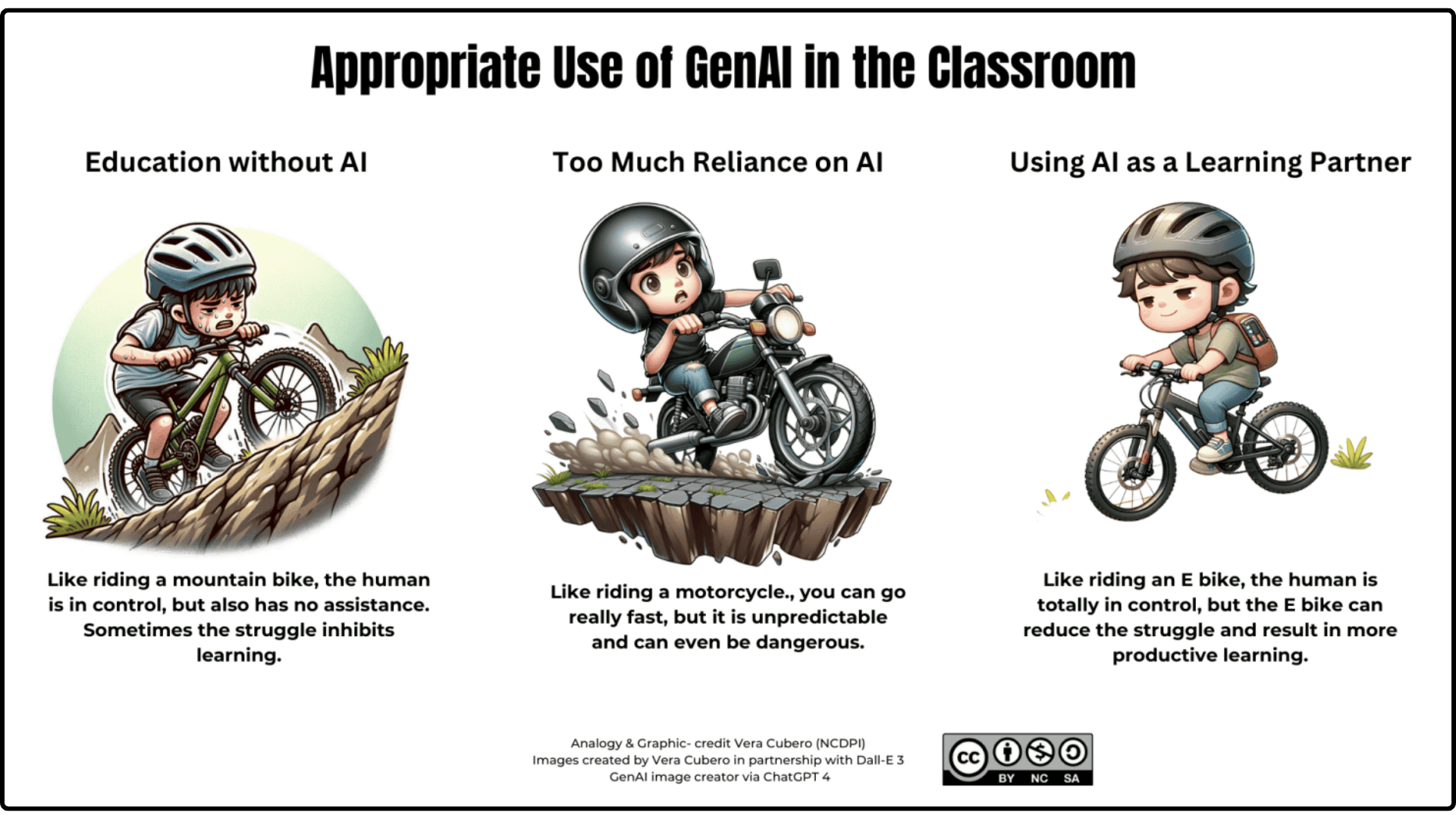
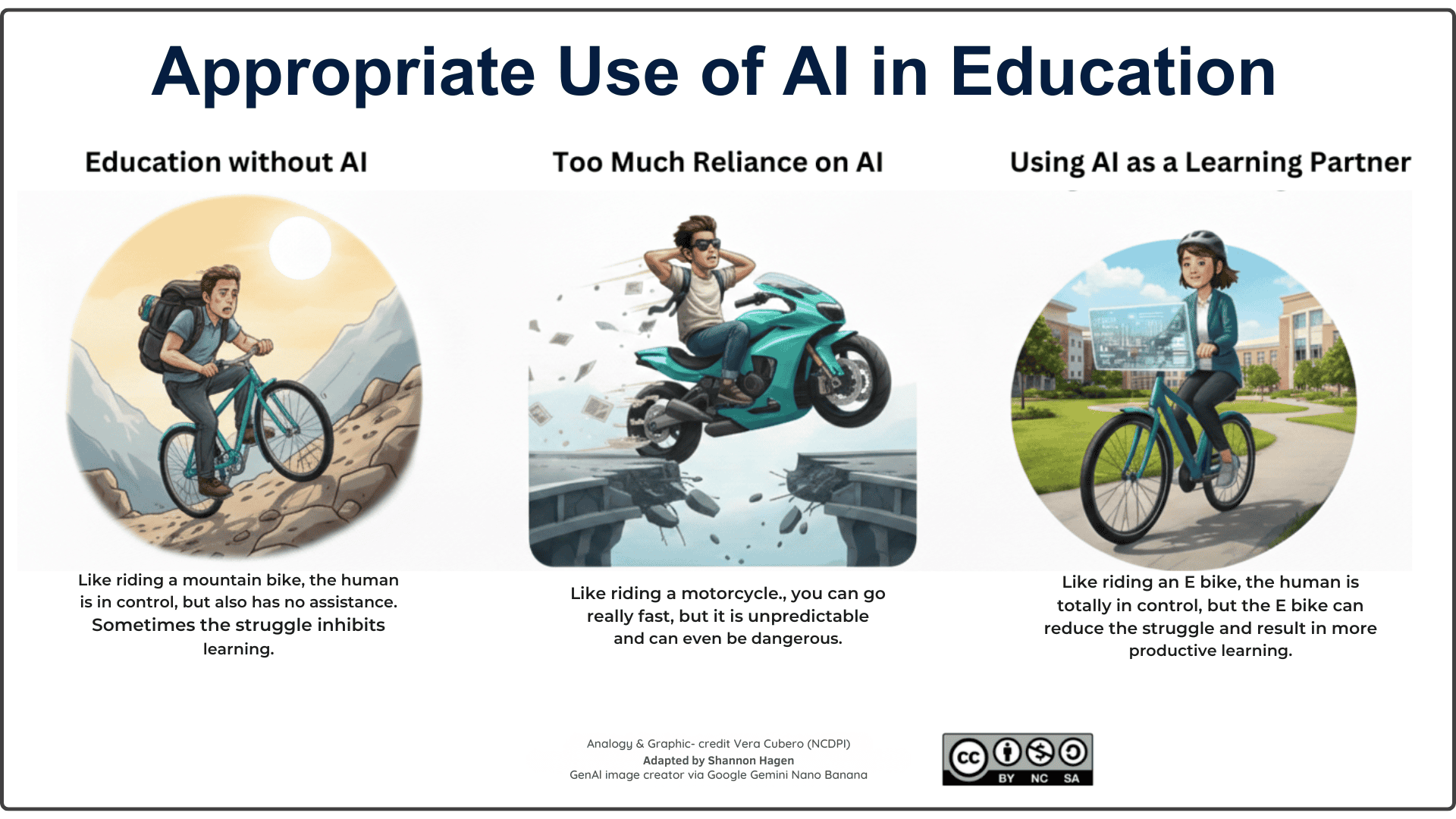
Students need to learn, “just the right speed” in how they use AI in the classroom. As these images indicate, “Education without AI” is an uphill grind, “Too much reliance on AI” is unpredictable and even dangerous, “Education as a learning partner” reduces struggle allowing for more productive learning.
🎯 Core Student Skills for AI-Ready Learning
Below are the core skills, explanation of skills learned and classroom ready applications that can be used immediately.
Scroll to the bottom of the page for documents to support the use of AI in the classroom both for teachers as well as students.
✏️ Ask Effective Questions
This skill helps students get clearer, more accurate results from AI so their learning stays focused and meaningful.
Students learn how better questions lead to better answers.
CLASSROOM READY APPLICATIONS (click to open and view)
- Idea Generator: Students refine a prompt to get better ideas for a narrative, science topic, or project concept.
- Research Starter: Students practice adding context (“Explain for a beginner…”) to get clearer background info before beginning inquiry.
- Step‑by‑Step Helper: Students ask AI to break a large task into steps (e.g., how to plan a lab report or presentation).
- Vocabulary Builder: Students prompt AI to define a word, give examples, and show it in different sentences.
- Study Support: Students ask increasingly specific questions to deepen understanding of a concept they are reviewing.
🎯 Personalize Learning Using AI Tools
Students can get explanations, practice, and feedback tailored to their needs, improving independence.
Students learn self‑directed learning using AI support.
CLASSROOM READY APPLICATIONS (click to open and view)
- Custom Explanations: Students ask AI to explain a concept at different levels (simple, detailed, with examples).
- Practice Problems: Students request practice questions on a topic and check their thinking with AI feedback.
- Study Guide Maker: Students ask AI to make a personalized study guide based on what they find difficult.
- Self‑Quizzing: Students ask AI to quiz them with multiple‑choice or short‑answer questions.
- Learning Path: Students request a “learning plan” for a topic they need more help with.
🔍 Check and Verify AI Output
Students learn to question AI results, building critical thinking and preventing misinformation.
Students become critical consumers of AI-generated content.
CLASSROOM READY APPLICATIONS (click to open and view)
- Fact‑Checking Challenge: Students compare AI‑generated facts with a textbook, article, or teacher‑approved source.
- AI vs. Reality: Students highlight inaccuracies in an AI summary of a story, event, or scientific process.
- Bias Hunt: Students examine two different AI outputs and discuss what viewpoints might be missing.
- Evidence Match: Students check whether AI explanations align with evidence from a text, image, or data set.
- Source Scavenger Hunt: Students verify three claims made by AI using reliable digital sources.
💡 Use AI to Brainstorm, Revise, and Create
AI helps students generate ideas and refine their work while still remaining the authors of their learning.
Students learn how to use AI to improve writing, not replace it.
CLASSROOM READY APPLICATIONS (click to open and view)
- Outline Builder: Students create an outline with AI, then revise it by adding their own ideas.
- Transition Helper: Students ask AI for transition suggestions and choose the best ones for their writing.
- Sentence Rewrites: Students input one messy paragraph and ask AI for ways to make it clearer.
- Idea Expansion: Students brainstorm multiple angles for a project, then choose and refine the strongest ones.
- Feedback Loop: Students ask AI for feedback on clarity or organization, then rewrite in their own voice.
🧠 Use AI for Problem‑Solving and Inquiry
Students can explore multiple solutions and refine ideas, deepening creativity and design thinking.
AI supports creative and iterative problem solving.
CLASSROOM READY APPLICATIONS (click to open and view)
- Multiple Solutions: Students ask AI for several ways to solve a practical or academic problem.
- What‑If Scenarios: Students explore alternate outcomes (e.g., “What if…?” questions in science or humanities).
- Idea Sorting: Students brainstorm solutions and ask AI to categorize them (feasible / needs research / risky).
- Prototype Helper: Students use AI to sketch out early design ideas for a product, model, or solution.
- Question Builder: Students use AI to generate inquiry questions for a new unit or project.
♿ Use AI for Accessibility Supports
AI tools help all learners access content more easily through read‑aloud, simplification, and vocabulary.
Students learn to choose the supports they need at the right time.
CLASSROOM READY APPLICATIONS (click to open and view)
- Read‑Aloud Assistance: Students use AI or built‑in tools to hear text read aloud for comprehension.
- Text Simplification: Students request a simpler version of complex instructions or informational text.
- Vocabulary Help: Students highlight difficult words and get AI‑generated explanations and examples.
- Focus Tools: Students use AI to extract key points, helping them track the main idea.
- Planning Support: Students ask AI to create checklists or step‑by‑step guides for assignments.
🌐 Use AI to Support Multilingual Learning
AI helps multilingual learners bridge language gaps while strengthening academic vocabulary and confidence.
Students use AI to bridge understanding across languages.
CLASSROOM READY APPLICATIONS (click to open and view)
- Translate + Compare: Students translate text into their home language and compare meaning across versions.
- Vocabulary Expansion: Students ask AI for synonyms, examples, and sentence frames for academic terms.
- Simplified Text: Students request a simplified version of a challenging article before reading the original.
- Dual‑Language Notes: Students generate bilingual notes to support understanding of new content.
- Writing Support: Students draft paragraphs in their home language and use AI to help craft an English version.
🗺️ AI for Career Pathway
AI is the assistant that helps students become career ready.
Students learn career‑ready habits using AI to research, reflect, and communicate effectively.
CLASSROOM READY APPLICATIONS (click to open and view)
- Career Explanations: Students ask AI to explain a career at different levels (simple, detailed, with examples of daily tasks). Students create an outline with AI, then revise it by adding their own ideas.
- Skill Breakdown: Students ask an AI to list the technical, academic, and soft skills required for a specific job or field.
- Interview Practice: Students ask AI to act as a practice interviewer and receive feedback on their answers.
- Resume & Email Polishing: Students paste a self‑written paragraph (resume summary, experience, or email) and ask AI to improve clarity and professionalism while keeping their own ideas. (being sure NOT to include any personal identifiable information)
- Pathway Planner: Students ask AI to help compare two post‑secondary programs or career paths and create a simple personalized action plan.
📄 Downloadable Documents
Below are a number of printable documents to help support using AI in the Classroom.
Click on the link to open and download.
- Generative AI Acceptable Use Scale
- “Can I Use AI on This Assignment?” – a scale teachers can use to indicate acceptable AI use.
- Student Self-Reflection Checklist
- A checklist a student can use as a self-reflection on their strategic GenAI use
- CRAFT a Power Prompt
- An infographic that includes the recommended additions to the ‘perfect’ prompt.
- Citing AI in Your Work
- A quick infographic demonstrating how to cite AI when used.
- Academic Honesty & Integrity with AI
- A checklist a teacher can use to start a conversation about the overuse of AI for an assignment.
- AI Guide for Students from AI for Education
- A workflow to help determine when and where to use AI
- SEE Framework – Safe | Ethical | Effective
- A framework developed by AI for Education for guidance on student use of AI
This page was developed and created with the help of AI.