Copilot Teach

Use Microsoft Teach to build lesson plans, quizzes, rubrics, flashcards, and more all in one place.

Microsoft Copilot Teach is a space inside the Microsoft 365 Copilot app where teachers can quickly create lesson plans, quizzes, rubrics, and more. You can also improve existing materials by adjusting reading level, adding examples, and differentiating for your learners. Everything you create is saved, and helpful resources are built right in.

Where Can I find Teach?

Open Microsoft Copilot and if you are logged in as an educator you should see it on the left:
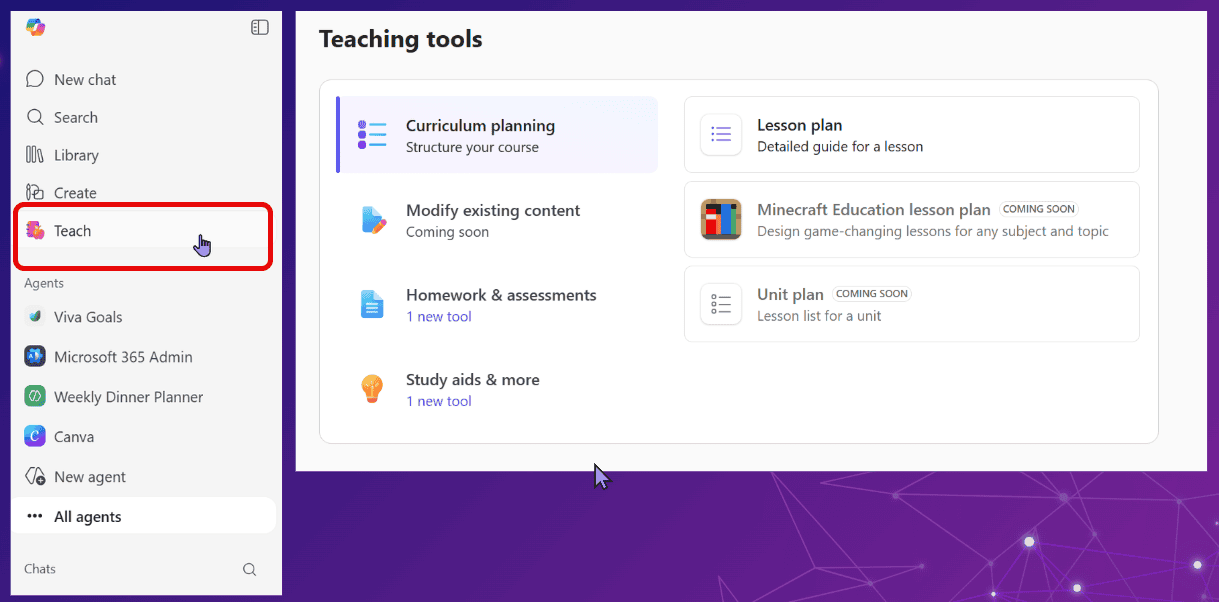
Microsoft Teach

How to Use Teach

Basically you follow the steps for the tool that you choose.

  • 1. Choose the tool

    Pick Lesson Plan, Rubric, Quiz, Flashcards, or a modify tool.

  • 2. Add your topic or content.

    Type your lesson idea, paste in text, or upload the content you want to work from.

  • 3. Refine with AI

    Adjust reading level, difficulty, standards alignment, examples, or differentiation.

  • 4. Save and Use

    Save as a Word document, create a quiz, or keep refining. Microsoft notes History lets educators revisit previous creations.

What’s in Copilot Teach?

Teaching Tools      History      Resources

They are often updating this and adding more feature so keep checking in.
Teaching Tools

Lesson Plan

Create a lesson plans, using our BC Curriculum for grounding and AI suggestions. Lesson plans can be edited and saved as Microsoft Word documents.

Minecraft Education Lesson plan

Describe a topic, pick a grade level and subject, and get a complete, BC curriculum-aligned lesson plan built around Minecraft Education activities, including the specific blocks, materials, and setup steps needed to run it confidently. 

Unit Plans

Coming soon. Create full unit plans with Copilot assisting you.

Lesson Plan

Add content that you would like to teach, choose the BC curriculum standards then generate la fully editable lesson plan.

Differentiate Instructions

Let Copilot adjust your content to meet the needs of your students. Create step by step instructions, examples or hints.  

Modify Reading Level

Change the reading level of your text while preserving key terms that you select.

Modify Reading Level

Change the reading level of your text while preserving key terms that you select.

Rubric

Easily create a rubric, using our BC Curriculum.

Quiz

Let Copilot create a quiz for you in Microsoft Forms that will mark itself. 

Flashcards

Put your content in and create Flashcards to help your students master concepts.  You can even have hints for the cards to help out.

Fill in the blanks

Put your content in and either let AI create a fill in the blank, or use the text as you put it in and create your own.  Save it and Share to get a join code that students enter to do the activity.

Matching

Load your content to create a matching activity to help your students. You can even choose to have a leaderboard and/or let your students use nicknames.

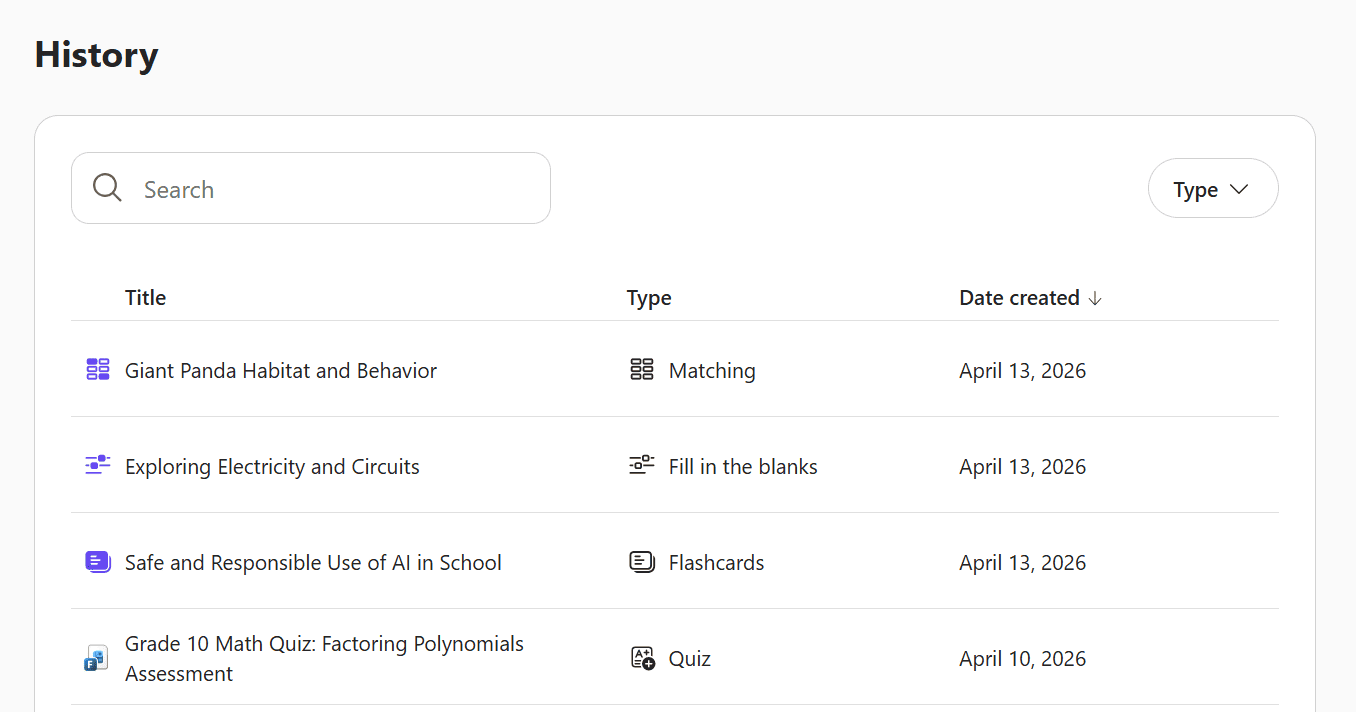
History

Scroll down to History to access and reuse all of your previously created materials.

History

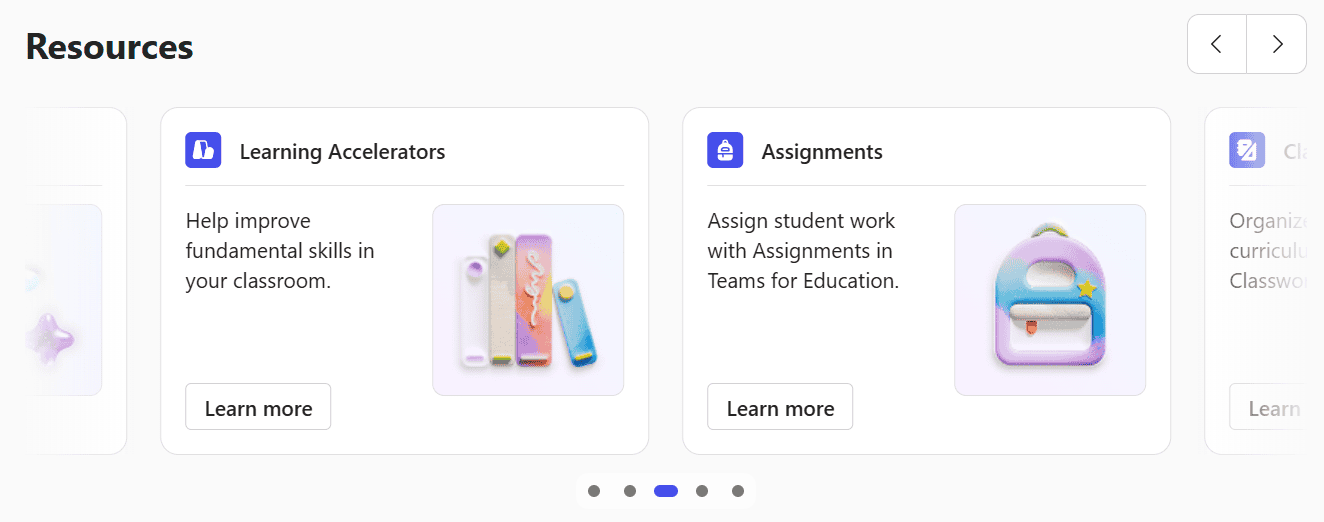
Resources

Scroll down below History to find some great resources: Learn more about Teach,  Copilot or other Microsoft programs.

Resources