Microsoft OneNote Resources
 OneNote is a digital note-taking app that provides a single place for keeping all of your notes, research, plans, and information.
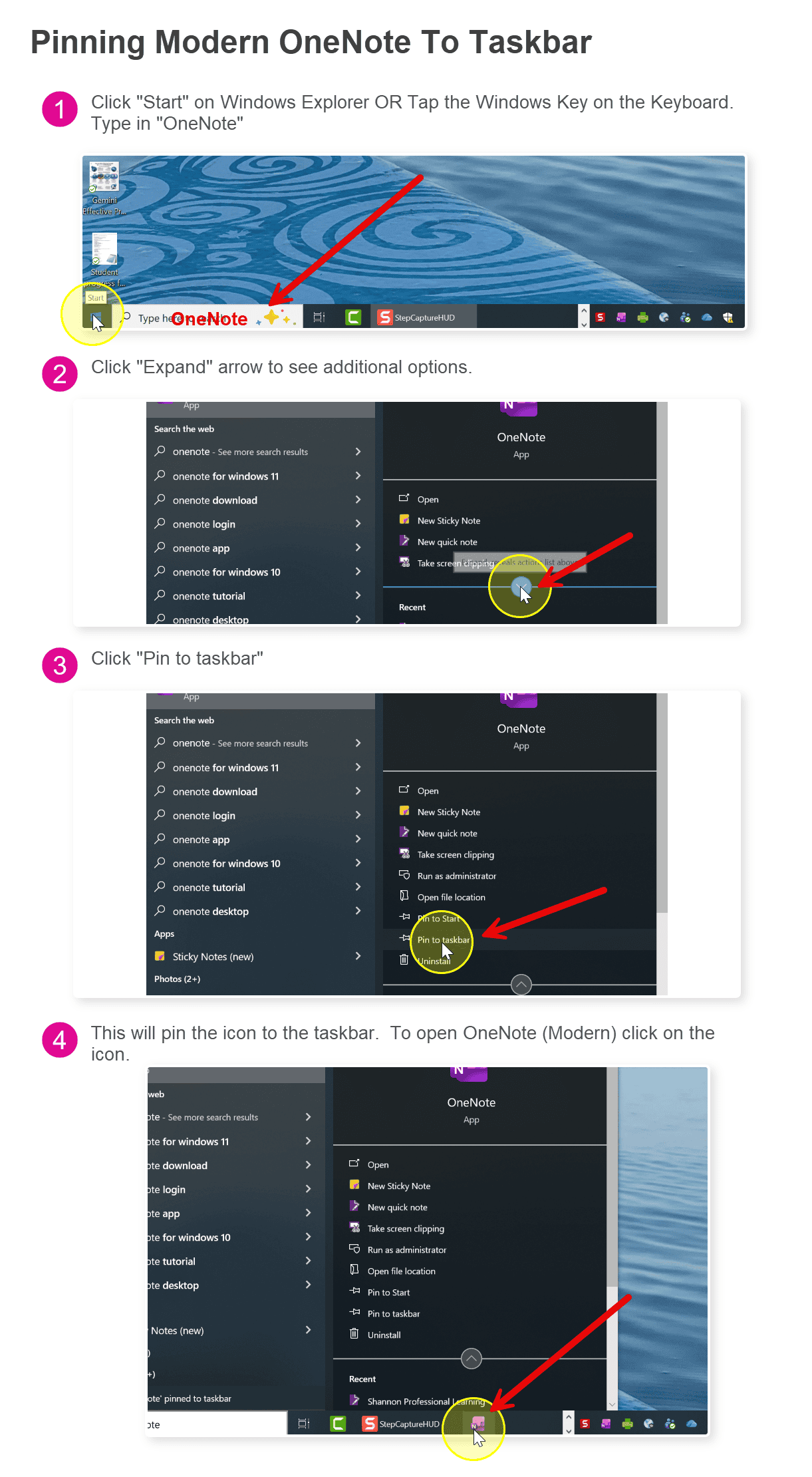
OneNote for Windows 10 and OneNote 2016 are retiring. Office 365 users (SD71 staff and students) should be using the Modern OneNote available on all school district computers. In order to ensure you are using the correct OneNote, press the Windows Key on your keyboard, type in “OneNote”. A sidebar on the left will appear -> click on “Pin to taskbar”.
If you don’t see this option, you may have to click on the expansion arrow to view more options.
If you have one of the retiring OneNote icons pinned to your taskbar, just right click -> “Unpin from taskbar”.
Click on the image on the left for an enlarged view of the instructions.
Play the YouTube video below for a tutorial on migrating from Windows 10 OneNote and covering the new features in the Microsoft OneNote Modern version.
Goodby OneNote for Windows 10
What is OneNote?
Resources to help you learn OneNote:
OneNote for Education – This is geared for educators. It contains demos, videos and supports as well as learning paths to learn more about OneNote.
OneNote – Getting Started – This contains a number of very short tutorials on how to use OneNote including organization, the tools and the collaboration capabilities.
OneNote – Class NoteBook – This is for those educators who are using the Class Notebook with their students.
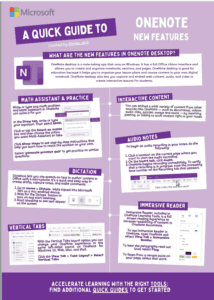
OneNote Quick Guide – click on the image to the right to view a downloadable version of the Quick Guide.