

Copilot Study and Learn
Your AI Powered Learning Coach.
 Understand difficult concepts, create practice quizzes, improve your writing and learn from your own notes-all in one place.
What is Study and Learn?
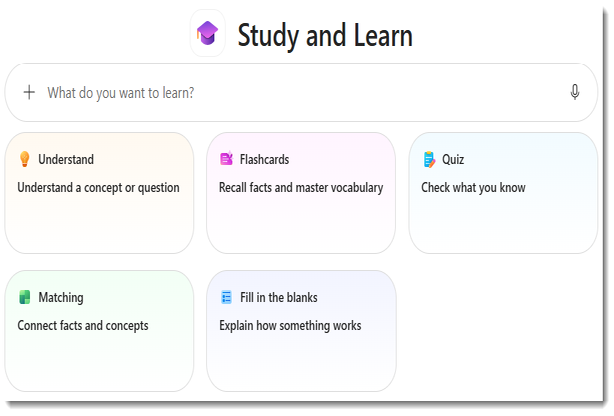
Microsoft Study and Learn is a learning focused AI Assistant that helps you understand concepts, practice skills, and master content using guided questions and interactive activities. Based on learning science, this agent allows students to upload their notes and learning materials to create study aids or to have scaffolded conversations with a chat bot that will not give the answer but rather helps you build understanding starting with what you already know.
Study and Learn is only available for students ages 13
🔎How to Find Study and Learn
🎯Great For…

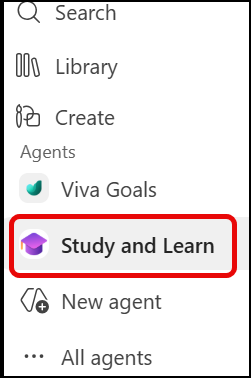
 Open Microsoft Copilot
Go to microsoft.copilot.com or open the copilot app by clicking on the copilot symbol.

Sign In
Use your email (studentnumber @learn71.ca) and your regular computer password to log in if you are not in the school district.

📚Studying for tests
- Build study guides
- Upload your notes and make flashcards
- Get summaries
- Test your knowledge with quizzes
🧠Learn new concepts
- Ask questions
- Get clear explanations
- Break ideas into steps
- Homework support
✍️Improve your writing
- Get feedback without having it written for you
- Check your grammar and clarity
- Organize your thoughts