
Microsoft MyApps is a web portal that gives users one place to access the apps and services they have permission to use through their organization
What can you do in MyApps
- Launch approved applications from a single dashboard.
- Access Microsoft apps such as Teams, Outlook, OneDrive, Word, and SharePoint.
- Open third-party applications that SD71 has connected through single sign-on (SSO).
- Create personal collections of frequently used apps for easier organization.
MyApps can be accessed anywhere you have internet by going to https://myapps.microsoft.com.
Use your SD71 email and password to login.
Use the “MyApps One Pager” or watch the “Customize MyApps” to learn more.
Click on the image to open a larger file that can be downloaded.
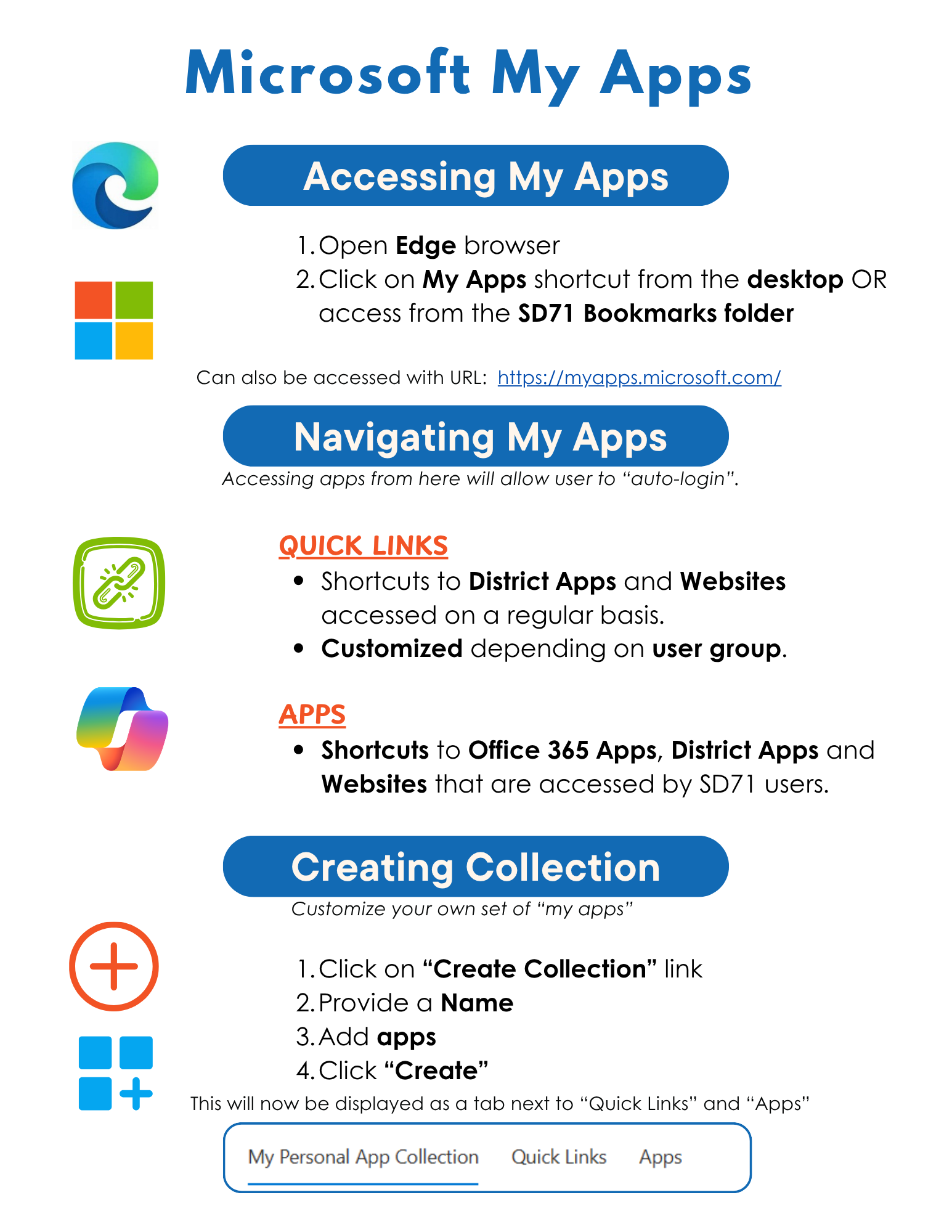
Watch the video to learn how to customize your “MyApps” page.