Copilot Agents 
Learn what Copilot Agents are, explore the agents you already have, and create your own to save time and work smarter.
What is an Agent?
An AI agent made in Microsoft Copilot is a specialized, custom virtual assistant designed to handle specific tasks or processes for you.
Think of it as a “smart app” or a “virtual employee” that you create, train, and set to work, which can do more than just answer questions—it can take action.
Agents Already in Copilot
You have access to premade agents in Copilot. Click on …All Agents to find them.
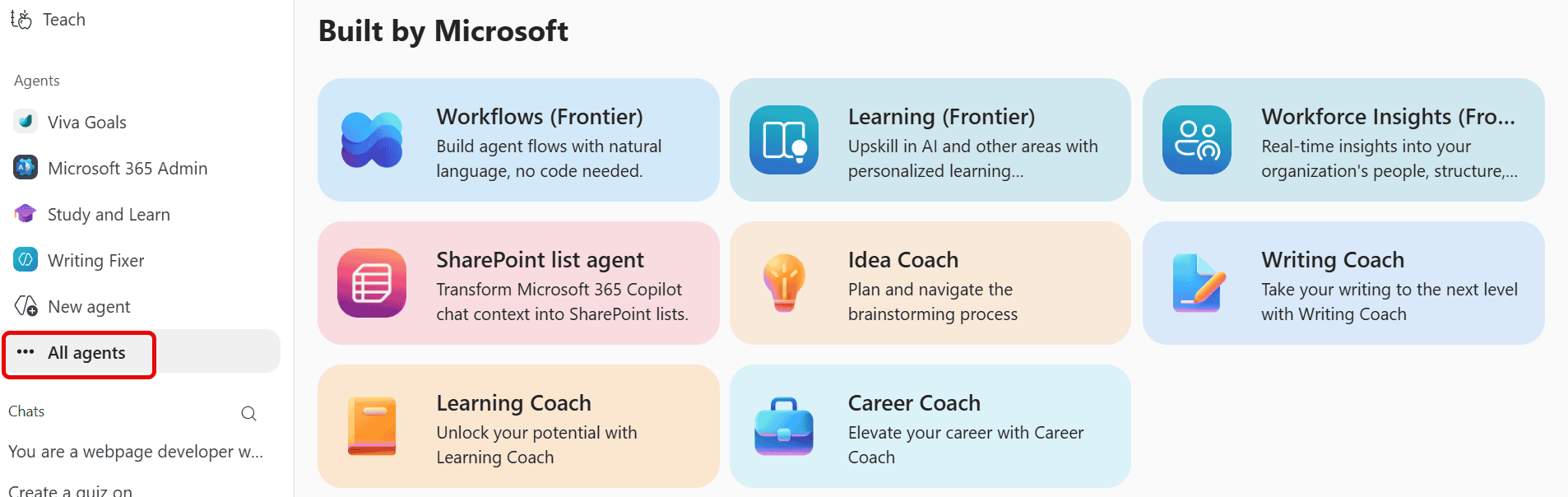
Click on them to look at what they do then click on Add to add them to your list of Agents on the left. Click on them on the left to open them and use them (if it is not lit up then you need a special license to get that one).
Create your own agent?
You can create your own agent to do tasks for you. Make one to help you write emails to families, help create report card comments, create images for your classroom or even plan your weekly meal at home.
These instructions are the basics. If you wish to create more personalized agent with more input to ensure success. Please scroll down and follow the step-by-step instructions provided there.
Here’s how: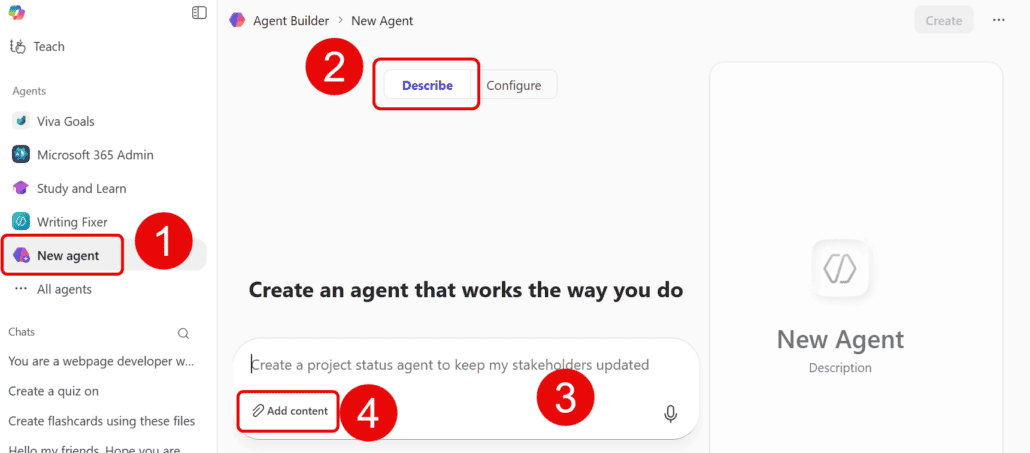
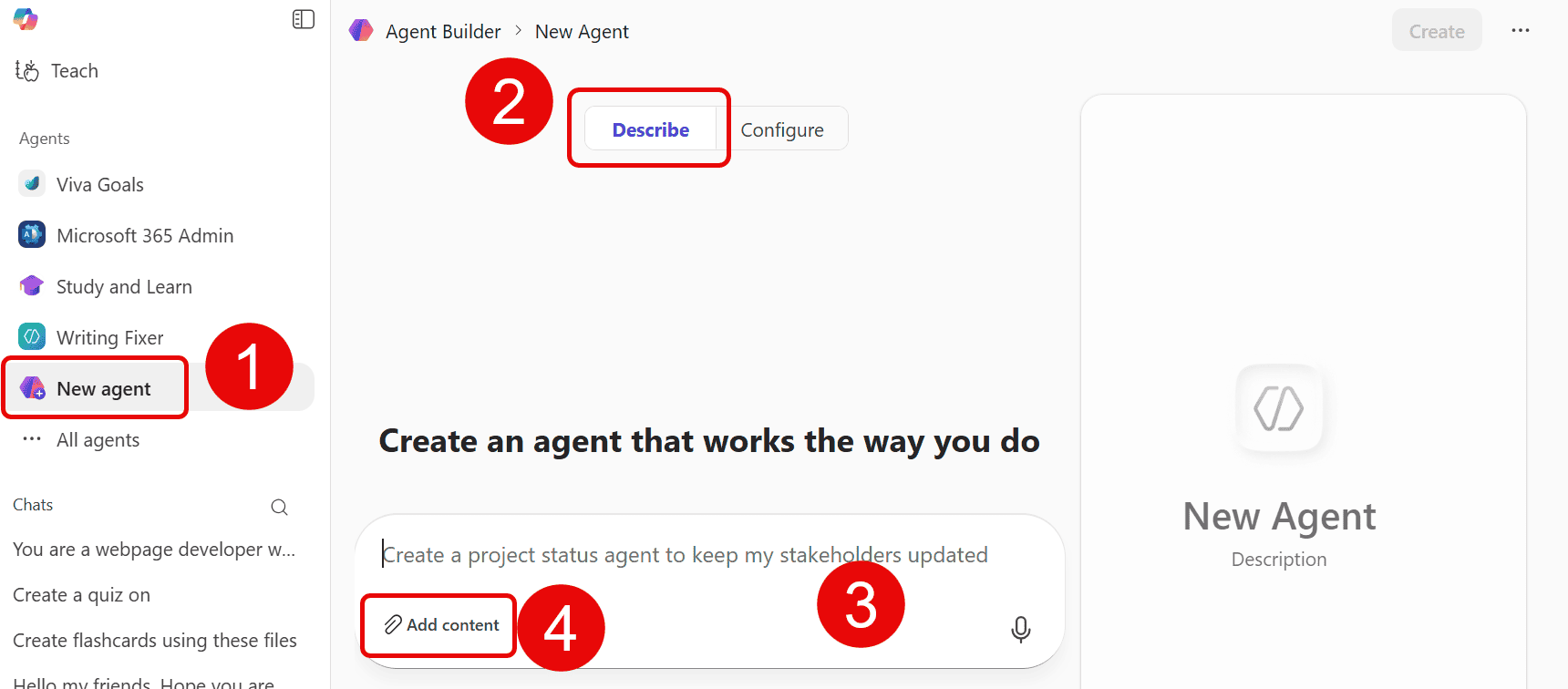
-
Click on New Agent
-
Click on Describe
-
Describe your Agent
-
Add any content you have to help it.
-
Follow the instructions it gives you.
-
Press Create when you are done (top right)
How to Create an Agent Step by Step:
To learn more about this go to Unlock the Power of Microsoft Agents.
Click on the image or here for a printable copy.
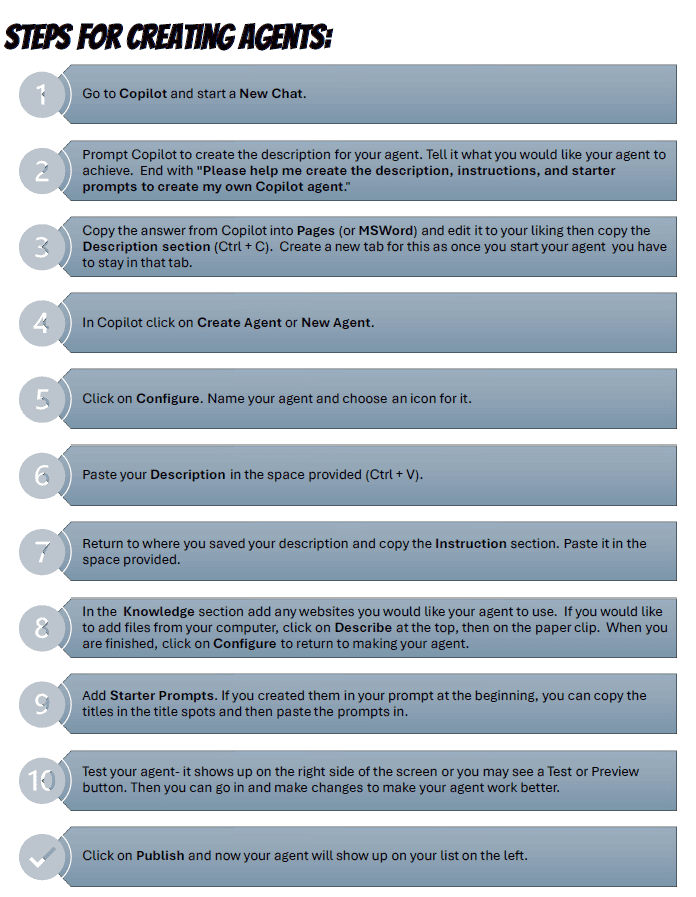
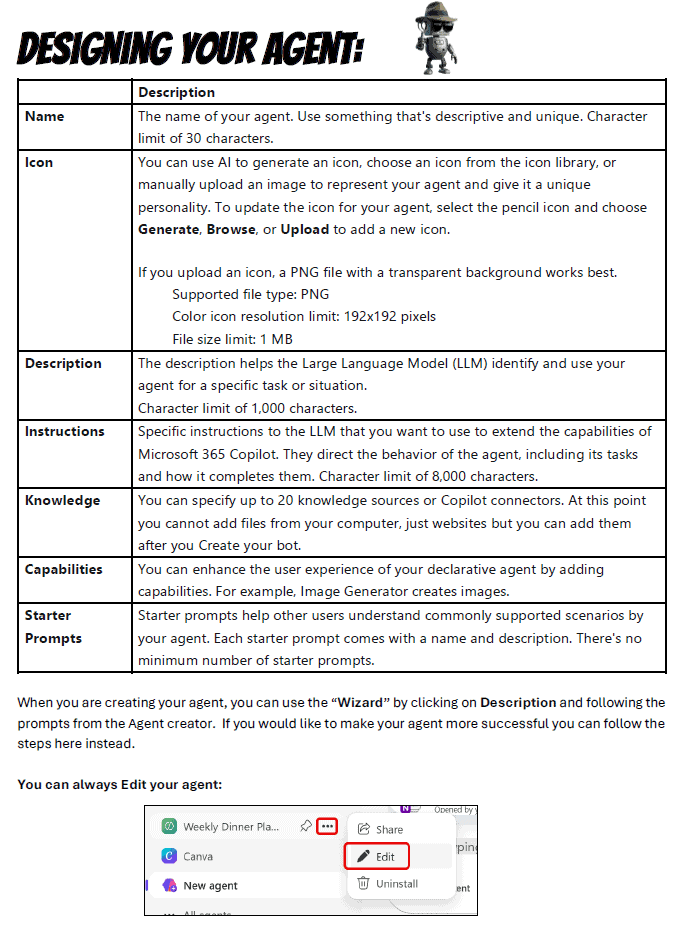
An in-depth description of what all the parts are.
The printed version has this table on the first page.
Click on the image or here for a printable copy.